

ring pro video doorbell pro — this guide gives a buyers‑comparison checklist and exact pre‑install tests so you can verify wiring, transformer and Wi‑Fi before you buy or hire an installer.
Read this if you need repeatable pass/fail checks (VAC, VA, chime terminals), a safe step‑by‑step install you can print, and clear alternatives if your home fails compatibility tests.
Key Takeaways
- Exact compatibility thresholds: Ring Pro requires a 16–24 VAC transformer rated 10–40 VA (30–40 VA recommended) — verify label and measure under load before buying (Ring Support — 2023-10-15).
- Pre‑install hard checks: shut off breaker, measure transformer voltage no‑load and under load, identify chime TERMINALS (TRANS / FRONT / REAR / COMMON), and confirm Wi‑Fi band and upload speed (aim ~15 Mbps) before attempting install (Ring Install — 2024-05-12; Ring Product — 2025-02-20).
- Verification checklist after install: record VAC under load, confirm doorbell press + chime sync, run motion/day‑night video tests (Ring Pro: 1536p HD), and measure notification latency — log values to compare alternatives (Ring Product — 2025-02-20).
- Save time and money — Pre-install compatibility checklist
- Exact transformer and wiring tests
- Pro Power Kit & chime wiring diagrams
- Step-by-step safe installation checklist
- Network & video performance checklist
- Post-install verification & diagnostics checklist
- Buyers’ comparison — Ring Pro vs alternatives
- Conclusion
- FAQ
Save time and money — Pre-install compatibility checklist to confirm your wiring, transformer and chime will work with Ring Pro Video Doorbell Pro
Goal: confirm the minimum hardware and wiring before you purchase the Ring Pro so you don’t waste money on returns or a needless electrician visit.
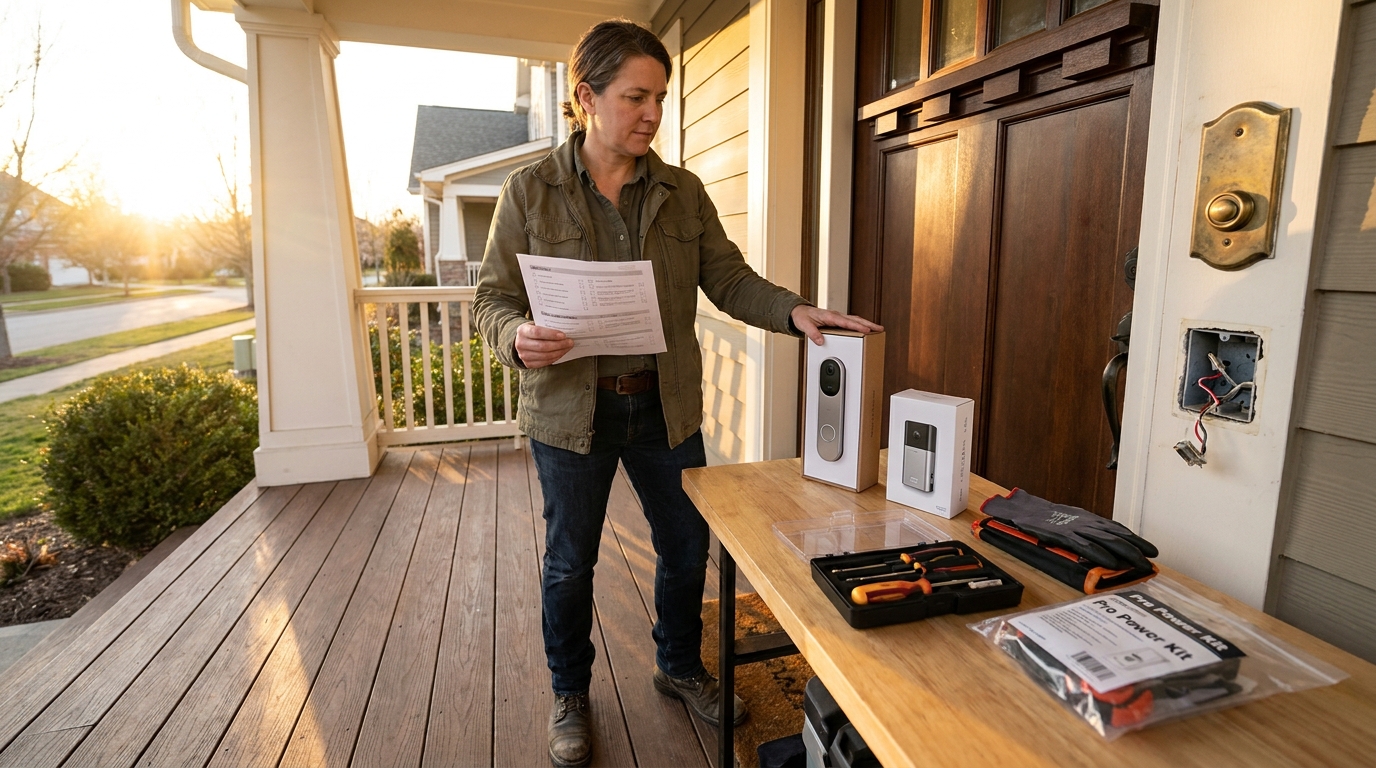
What to check (quick pass/fail)
- Transformer label: must read 16–24 VAC and show VA. Pass if VA ≥10 and VAC within 16–24; recommended VA = 30–40 for headroom (Ring Support — 2023-10-15).
- Chime type: identify mechanical (hammer + bell) vs electronic (circuit board). Find TRANS, FRONT/REAR, COMMON screws under the chime cover and photograph them.
- Wiring: confirm two existing doorbell wires reach the doorbell location (one per terminal on Ring). If label missing, plan to measure voltage under load before buying.
Pitfall to avoid: assuming any transformer is OK — many fail on VA (underpowered) which causes chime instability or no power.
Related reading: see our wired vs battery doorbell buying guide for alternatives if wiring fails (wired vs battery doorbell buying guide).
Exact transformer and wiring tests (how to measure safely, what numbers to accept, and what to call an electrician for)
This section gives safe meter steps and numeric pass/fail rules so you can decide to proceed or call a pro.
Safe measurement procedure (overview)
- Tools: digital multimeter (AC volts), insulated screwdriver, non‑contact voltage tester, ladder.
- Safety gate: always switch breaker OFF for physical wiring work. If you cannot access the transformer without opening the breaker box or are uncomfortable, stop and call a licensed electrician (Ring Support — 2023-10-15).
What to measure and acceptable numbers
- No‑load VAC: measure AC vac at transformer secondary with doorbell circuit disconnected — expect 16–24 VAC nominal. This is a label cross‑check.
- Under‑load VAC: apply normal doorbell load (simulate press or use known 16–24 VAC load) and measure VAC; acceptable: voltage should stay ≥90% of nominal (e.g., 16 VAC nominal should not drop below ~14.4 VAC under load). If voltage collapses significantly, VA is too low.
- VA check: confirm transformer label VA ≥ 10 VA. Recommended: 30–40 VA for Ring Pro to avoid instability (Ring Support — 2023-10-15).
Decision gates — when to call an electrician
- Transformer label missing or you cannot safely isolate circuits: call a pro.
- No‑load OK but under‑load voltage drops >10% → replace transformer (call pro if you cannot access transformer box safely).
- If transformer is part of other systems (e.g., HVAC door chime integration) or is bundled with lighting, call a pro.
Pitfall to avoid: non‑electricians attempting live measurements at the breaker without isolation — stop and call a licensed electrician.
Pro Power Kit & chime wiring diagrams for mechanical vs electronic chimes (exact terminal hookups for Ring Pro)
Understand exactly where the Pro Power Kit connects and how to avoid swapping TRANS and COMMON — a common fail mode.
What to cover
- Mechanical chime: the Pro Power Kit wires go to TRANS and FRONT (or REAR) terminals — follow the Ring wiring diagram and secure connections with the included screws. See Ring wiring diagrams for example terminals (Ring Wiring Diagrams — 2024-03-22).
- Electronic chime: kit still attaches to TRANS and FRONT/REAR, but verify the chime board voltage range and do not hook to a transformer used for halogen/garden lighting (those are incompatible) (Ring Support — 2023-10-15).
- Exact hook‑up: Pro Power Kit leads — one lead to TRANS screw, the other to FRONT/REAR screw; the doorbell push wires go to the Ring unit terminals at the exterior.
Common mistakes and how to prevent them
- Mixing TRANS with COMMON: photo each chime terminal before disconnecting and label wires with tape.
- Relying on wire color: colors vary — always trace terminals and confirm with the chime diagram.
- Over‑tightening: hand‑tighten screws only; overtightening damages wires and causes contact failures (Ring Install — 2024-05-12).
Related: read our chime compatibility and wiring page for deeper examples (chime compatibility and wiring).
Step-by-step safe installation checklist (power-off checks, mounting, wiring, power-on, first app pairing) — printable section
Follow these numbered steps in order. Stop at any decision gate that says “Stop and call a pro”. Estimated total time: 45–90 minutes for an intermediate DIYer.
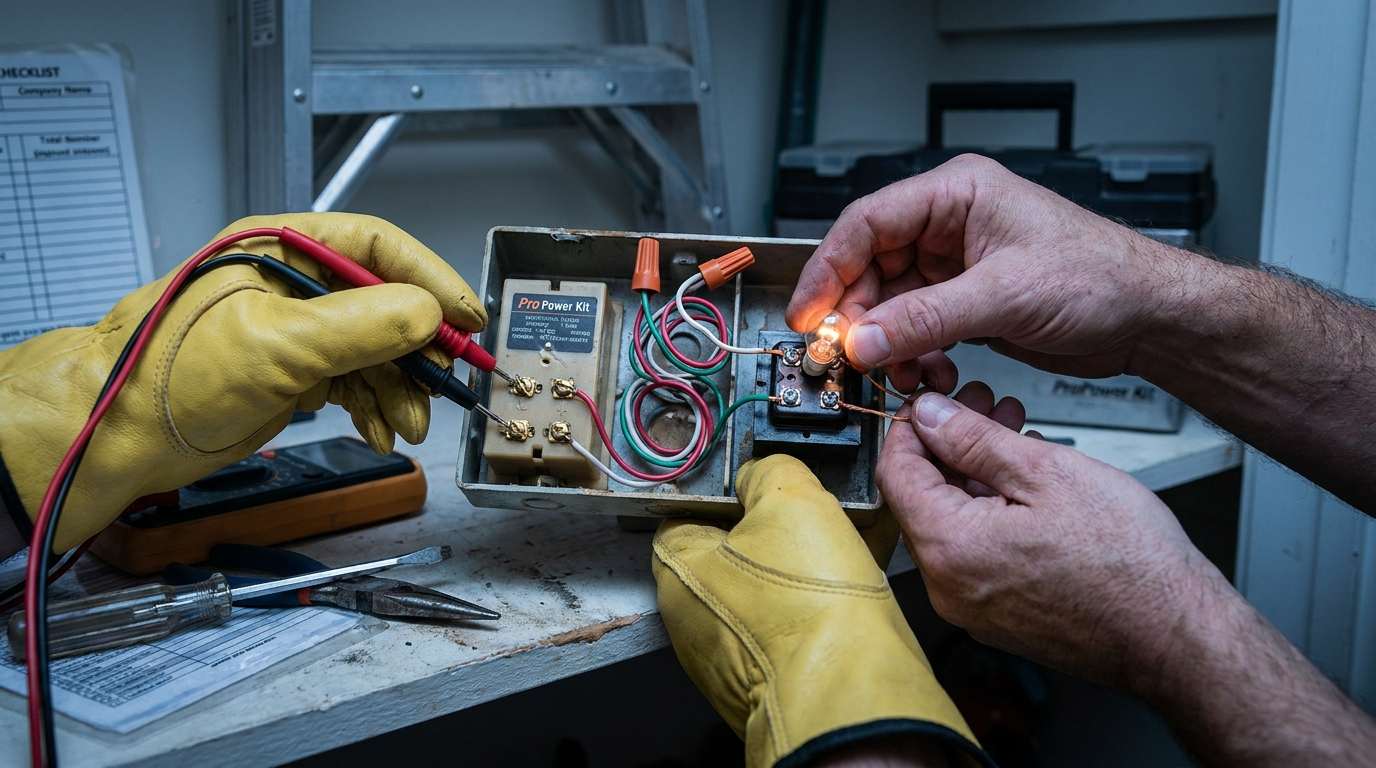
- Prerequisites (10–15 min): Gather tools — multimeter, insulated screwdriver, ladder, drill, level, wire nuts, Pro Power Kit, phone with Ring app. Confirm thresholds: transformer 16–24 VAC, 10–40 VA (30–40 VA recommended), Wi‑Fi 2.4/5 GHz with ~15 Mbps upload target (Ring Support — 2023-10-15; Ring Product — 2025-02-20).
- Cut power (2 min): Turn OFF breaker for the doorbell circuit. Verify with non‑contact tester on chime terminals. Stop and call a pro if you cannot find the correct breaker or the circuit is shared with unknown loads.
- Remove old doorbell (5–10 min): Unscrew mounting, expose two doorbell wires, photograph wiring and chime terminal layout (TRANS/FRONT/REAR/COMMON).
- Chime prep (5–10 min): Remove chime cover, note which screws are labeled TRANS/FRONT/REAR/COMMON. Loosen but do not remove screws before installing Pro Power Kit.
- Install Pro Power Kit (10 min): Attach Pro Power Kit leads to TRANS and FRONT/REAR on the chime per Ring diagram; secure wires but hand‑tighten only. (See Ring wiring diagrams: 2024-03-22.)
- Wire the Ring unit (10 min): Connect doorbell wires to Ring terminals (one per screw). If wire is frayed, trim and strip 1/4″. Use included anchors and mount level; torque: hand‑tighten only — do not use driver on terminal screws (Ring Install — 2024-05-12).
- Restore power & pair (5–10 min): Turn breaker ON. Open Ring app, scan device QR, follow Wi‑Fi connect steps (2.4 or 5 GHz), finalize setup and test chime.
- First tests (10–15 min): Press doorbell — chime should ring in <1s. Run live view and motion tests (day/night), confirm video stream. If chime does not ring or device fails to power, switch breaker OFF and re‑check wiring and Pro Power Kit connections.
Printable one‑page checklist
- Breaker OFF confirmed — ☐
- Transformer label: VAC ____ VA ____ — Pass ☐ Fail ☐
- No‑load VAC ____ — Under‑load VAC ____ — Pass ☐ Fail ☐
- Chime terminals photographed & labeled — ☐
- Pro Power Kit connected to TRANS & FRONT/REAR — ☐
- Mount level, wires secured (hand‑tight) — ☐
- Wi‑Fi upload at door location ______ Mbps — Pass ☐ Fail ☐
- Doorbell press + chime sync (<1s) — ☐
- Live view resolution verified (1536p) — ☐
Do not attempt breaker box or transformer replacement unless licensed — see our transformer replacement guide for when to hire an electrician (transformer replacement guide).
Network & video performance checklist — what Wi‑Fi numbers you must measure and why they matter for the Ring Pro
Measure in place — SSID visibility is not enough. You need usable dBm and upload throughput at the doorbell location.
Required numbers and tests
- Bands: Ring Pro supports 2.4 GHz and 5 GHz. Confirm the router broadcasts the band you plan to use at the door location (Ring Product — 2025-02-20).
- Throughput: aim for ~15 Mbps upload as a practical target for high‑res video; run a speed test at the doorbell location using a phone and record upload Mbps during peak hours (Ring Product — 2025-02-20).
- dBm signal strength: Ring does not publish a dBm minimum — this is a research gap. As a rule, measure using a Wi‑Fi analyzer and record values; if unsure, plan to use a bridge/extender (research to collect exact dBm thresholds).
Quick fixes for weak Wi‑Fi
- Use a wired backhaul + Wi‑Fi access point positioned closer to the door.
- Install a mesh node or dedicated extender with ethernet backhaul for the door location.
- As a last resort, pick a battery doorbell or a wired model with lower bitrate needs — see our home network checklist for video doorbells (Wi‑Fi & network requirements for video doorbells).
Pitfall to avoid: testing speed in the living room — run the test at the actual doorbell mounting point.
Post-install verification and diagnostics checklist (voltage under load, chime sync, motion tests, video/bitrate checks, notification latency)
Recordable, repeatable tests to prove the install is stable. Log values in your printable checklist.
Tests to run (pass/fail numbers)
- VAC under load: record no‑load VAC and VAC while pressing the doorbell; target: ≥90% of nominal 16–24 VAC. Note readings and timestamp.
- Chime sync: doorbell press should trigger chime within <1 second — Pass/Fail.
- Live view resolution: confirm stream reports 1536p HD in the Ring app (Ring Pro: 1536p HD) and visually confirm day/night clarity (Ring Product — 2025-02-20).
- Motion tests: walk multiple motion zones and log detections and false positives — run day and night tests.
- Notification latency: measure push notification time (press doorbell remotely or via test) and log ms average during peak times.
Diagnostics to gather before calling support
- Multimeter readings: no‑load VAC, under‑load VAC, transformer VA from label.
- Chime terminal photos and Pro Power Kit wiring photos.
- Wi‑Fi speed test screenshots (upload and ping) at doorbell location.
- Ring app screenshots with timestamps of failed events.
If any metric fails repeatedly, consult Ring support and include the diagnostics above to shorten troubleshooting time. For general install faults see our Ring video doorbell installation checklist (Ring Video Doorbell Installation).
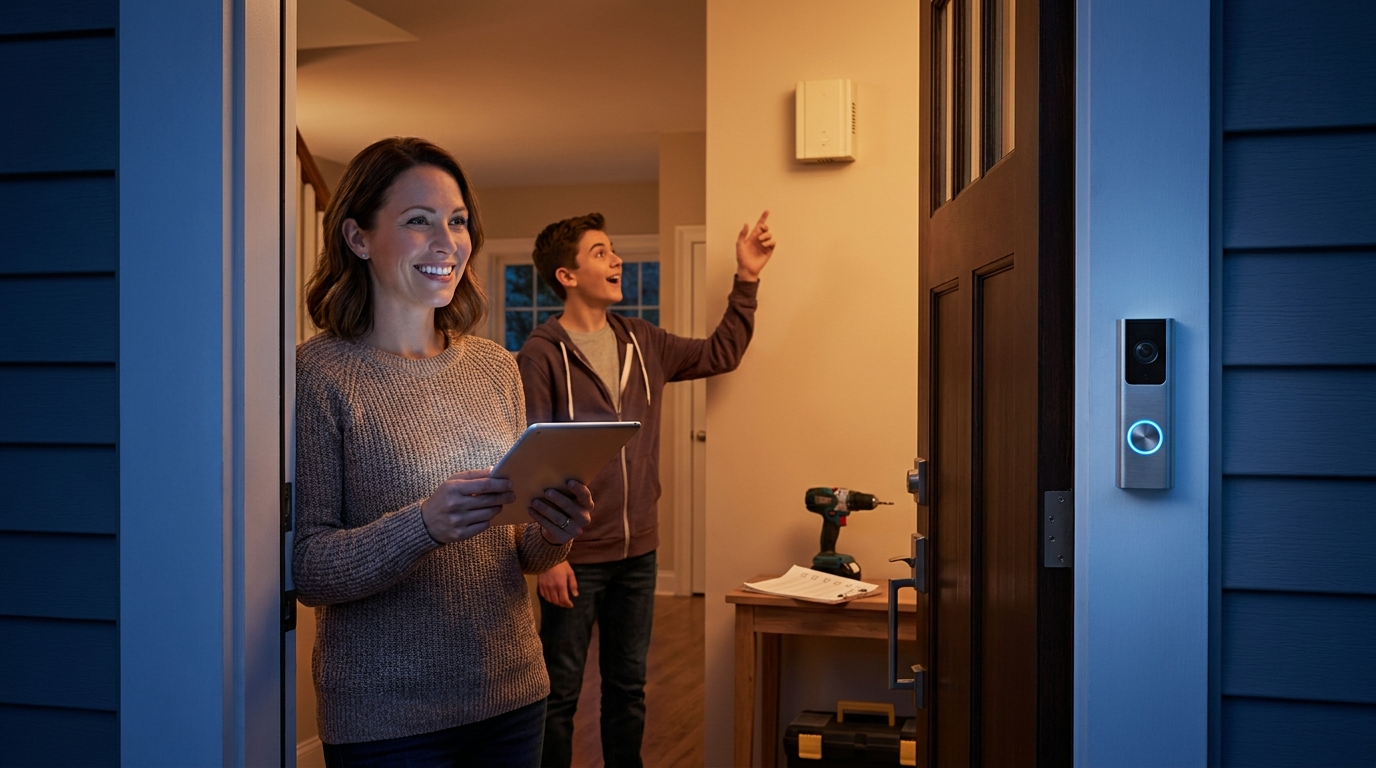
Buyers’ comparison — when to pick Ring Pro vs Ring Video Doorbell 4 vs Nest Wired vs Arlo Wired (practical 3–5 year ownership scenarios)
Use-case driven picks — match your wiring, budget, and privacy needs to the right model.
Short decision rules
- Ring Pro — pick if you have 16–24 VAC transformer rated ≥10 VA (30–40 VA recommended), strong Wi‑Fi at door, and you want wired power with high resolution (1536p) (Ring Support — 2023-10-15; Ring Product — 2025-02-20).
- Ring Video Doorbell 4 — choose if you have a weaker transformer (8–24 VAC range) or prefer a battery option during installation (Ring Support — 2023-10-15).
- Nest Wired / Arlo Wired — consider if you want native integration with Google/Arlo ecosystems or specific local storage options — research exact install complexity, FOV, and subscription models before buying (research gap: comparative numeric benchmarks).
When Ring Pro is NOT the best pick
- Legacy low‑VA transformer (VA < 10) — cheaper to buy a battery doorbell or replace transformer first.
- No wiring at all (apartments) — pick battery models or landlord‑approved wired retrofit.
- Strict local‑only storage requirement — Ring relies on cloud features; consider alternatives with local storage if privacy is primary (research to collect TCO/local storage metrics).
Pitfall to avoid: making TCO or accuracy claims without benchmark numbers — where data is missing flag the metrics you still need to gather.
More detail on “best picks by budget” and local storage alternatives in our best video doorbell without subscription guide (Video Doorbell Without Subscription).
Conclusion
Use the checklist above to measure transformer VAC and VA, verify chime terminal mapping, and test Wi‑Fi throughput at the door location before buying. If your measurements pass the numeric checks, the Ring Pro is a solid wired choice; if not, consider battery models or transformer upgrades. For a final decision, compare recorded metrics and pick the model that matches your wiring, Wi‑Fi, and privacy needs — start by verifying the ring pro video doorbell pro compatibility numbers and then buy or hire the right pro.
Next step: print the checklist above, run the tests, and if you need help, read our transformer replacement guide or call a licensed electrician.
FAQ
What transformer voltage and VA rating must I have for the Ring Pro Video Doorbell Pro?
Your transformer should be 16–24 VAC and 10–40 VA (30–40 VA recommended); if outside this range, replace it before installing (Ring Support — 2023-10-15).
How do I safely verify my transformer is adequate before buying the Ring Pro?
Turn off power at the breaker, access the transformer, and either measure VAC with a multimeter no‑load and under a known load or hire an electrician to measure under load; confirm VA label ≥10 VA (30–40 VA recommended) (Ring Support — 2023-10-15).
Which chime types are compatible and where does the Pro Power Kit attach?
The Ring Pro works with mechanical and electronic chimes; the Pro Power Kit connects to the TRANS and FRONT/REAR terminals on the chime — follow the Ring wiring diagrams (Ring Wiring — 2024-03-22).
What Wi‑Fi speed and band do I need at the doorbell location?
Use 2.4 GHz or 5 GHz and aim for practical upload throughput around 15 Mbps at the doorbell location; if you can’t achieve this, use a Wi‑Fi extender or wired bridge (Ring Product — 2025-02-20).
What verification checks should I run immediately after installation?
Measure VAC under load, press the doorbell and confirm chime sync, run motion walkthroughs day/night, confirm live view resolution (1536p HD), and log push notification latency for support (Ring Product — 2025-02-20).
What metrics do I need to collect before contacting Ring support or an electrician?
Collect no‑load and under‑load VAC, transformer VA rating, chime terminal photos, Wi‑Fi upload speed and (if possible) dBm at door location, plus timestamps/screenshots of failed events.