

home automation companies near me — if you’re hiring now, this room-by-room, vendor-ready checklist forces apples-to-apples bids and gives you the exact milestone verifications to sign before any invoices are paid.
This guide is for 3–5 bedroom single-family homeowners who want comparable bids, enforceable milestones, and a final system that’s documented, local-first where possible, and covered by support.
Key Takeaways
- Before you request quotes, gather network and device baseline data: run a speed test (target 100 Mbps+), confirm your router capacity supports 50+ devices, and export a room-by-room inventory so vendors price the same scope (see CapitolTechnologyGroup, 2023).
- Insist a rigid milestone checklist: signed site survey + RF heatmap, editable floor plan with Cat6 runs (1 per room min), integration matrix, bench testing, failover testing, and as-built docs + config backups + 1-year support.
- Demand proof of competency and protections: multi-vendor integration case studies, CEDIA or equivalent experience, $1M+ liability insurance, and on-site Wi‑Fi baseline reports before hiring.
- Get a vendor-ready network & device inventory so every “home automation companies near me” quote is comparable
- Prepare wiring & conduit prerequisites (so bids reflect true labor and materials)
- Define room-by-room use cases so vendors program the same scenes and quote the same labor
- Exact milestone checklist to demand from “home automation companies near me” (site survey → handover)
- How to require and evaluate mixed‑ecosystem architecture plans (Zigbee/Z‑Wave/Thread/Wi‑Fi)
- Pricing, timelines, warranties & red flags — what numbers to demand and which gaps to call out
- Conclusion
- FAQ
Get a vendor-ready network & device inventory so every “home automation companies near me” quote is comparable
What to cover:
- How to run a Wi‑Fi speed and capacity baseline (tools, required screenshots).
- How to check router/client capacity and what counts as sufficient.
- Device inventory export template: hubs, devices, protocol, firmware, SSID/BSSID, and physical location.
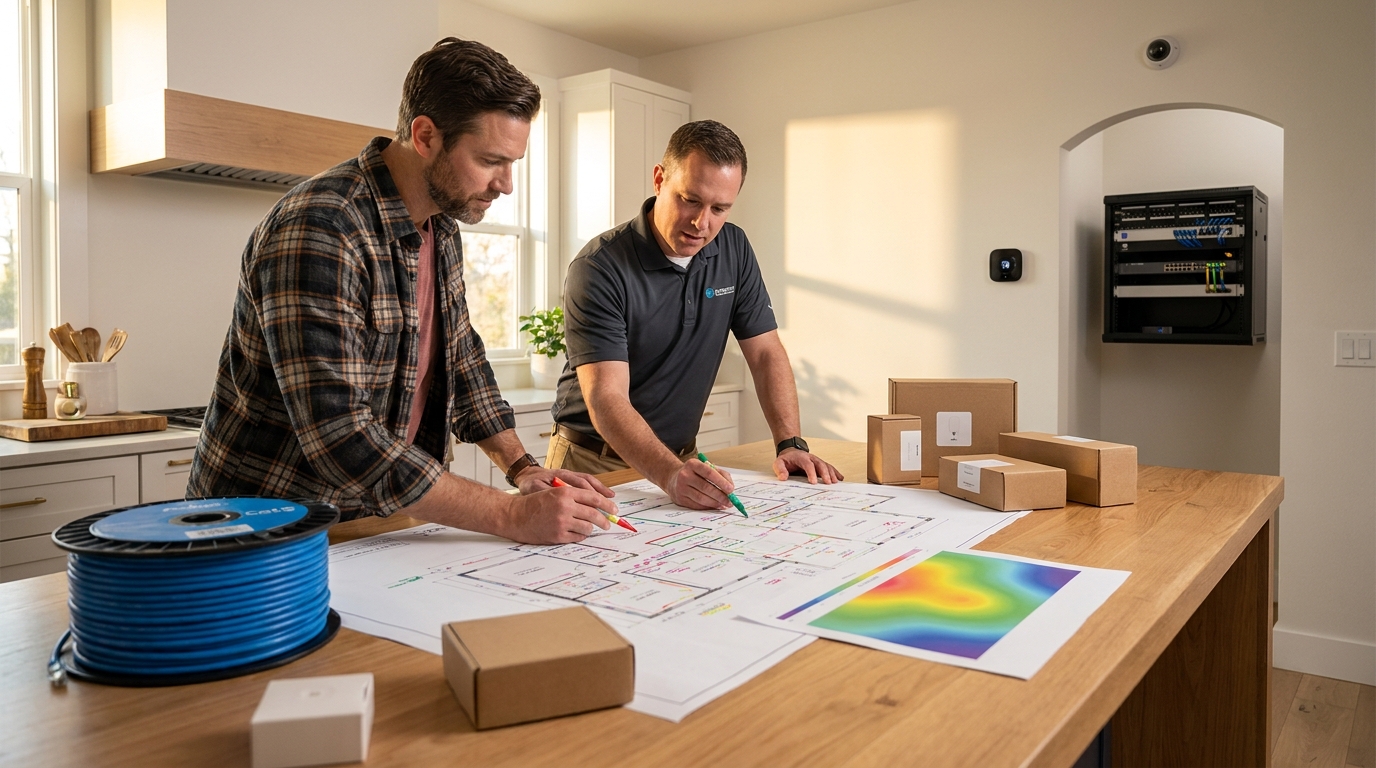
Actions to perform before you contact vendors:
- Run 3 speed tests at different times (mobile app: Speedtest by Ookla or fast.com). Save screenshots — vendors must receive these with your RFP.
- Note the fastest stable read; target 100 Mbps+ for multi-device homes and confirm router capacity for 50+ connected devices (aim from source: CapitolTechnologyGroup — 2023).
- Export or manually list every current smart device into CSV columns: room, device name, model, protocol (Zigbee/Z‑Wave/Thread/Wi‑Fi), firmware, hub, SSID/BSSID, and photos of device and mounting location.
How to capture verifiable screenshots and exports
- Speed test: save app screenshot showing Mbps, server, timestamp, and ISP; add to RFP as speed-test.png.
- Router capacity: screenshot the router admin page with “connected clients” and firmware version, or vendor will assume upgrades.
- Inventory CSV sample header: room, device, manufacturer, model, protocol, firmware, hub, IP/MAC, photo-filename.
Citation: Aim for 100 Mbps+ Wi‑Fi and confirm router capacity for 50+ devices — CapitolTechnologyGroup — 2023.
Pitfall to avoid: Don’t accept a vendor bid without a saved speed-test screenshot and a current device inventory — that omission creates under‑scoped network upgrades and surprise bills.
Related reading: see our networking primer for installers at Networking for Smart Homes.
Prepare wiring & conduit prerequisites (so bids reflect true labor and materials)
What to cover:
- Minimum wiring spec to demand (Cat6 runs, 1 per room minimum; coax/low-voltage mapping).
- How to annotate floor plans with existing runs and conduit routes.
- What to require in vendor wiring proposals: pull strings, conduit size/spec, termination, and future-proof notes.
Minimum wiring spec (must include in RFP):
- Cat6 Ethernet: require at least 1 Cat6 run per room (living spaces, bedrooms, garage, attic, home office); label endpoints on the floor plan.
- Coax: map existing coax and note if you want video/TV distribution or PoE camera runs (note preferred termination locations).
- Conduit/pull-string: require conduit to the attic or service closet with pull-string if walls are open; specify conduit diameter in vendor quote if exterior runs present.
How to mark up your floor plan:
- Use a PDF copy of your floor plan. Mark each room with a numbered dot for Ethernet drops and annotate existing conduits in red.
- Photograph visible runs in the attic and mark those on the plan (attach photos as ZIP).
Citation: Specify Cat6 runs (1 per room min) — CapitolTechnologyGroup — 2023; and map Ethernet runs per room reference: Instructables — 2023.
Pitfall to avoid: Allowing an installer to promise “wireless-only” without a signed wiring scope invites hidden labor later and non-comparable bids.
Supplement: full wiring and low-voltage guides are in our Wiring & Low‑Voltage Guides.
Define room-by-room use cases so vendors program the same scenes and quote the same labor
What to cover:
- How to write concise use cases per room (template: actors, triggers, scenes, priority).
- Typical scene counts and complexity bands (simple, moderate, complex).
- Sample pages: living room and master bedroom with triggers and required devices.
Use-case template (copy into your RFP)
- Room: Living Room
- Actors: 2 wall dimmers, 4 recessed lights, TV, AVR, motion sensor, Zigbee remote
- Triggers: Sunset, motion after 10pm, media-on, away mode
- Scenes: Evening dim (50%), Movie (lights 10%, blinds closed, AV on), Away (all off, alarm set)
- Priority: Motion override after 10pm; local manual switches must always work.
Assign complexity bands for quoting:
- Simple: 2–3 devices, 1–2 scenes — program hours: 1–2
- Moderate: 4–8 devices, 3–6 scenes — program hours: 3–6
- Complex: >=9 devices, conditional logic, multi-hub integrations — program hours: 6+
Citation: Plan for roughly 5–10 scenes per room as a planning guideline — SmartThings community checklist — 2019-07-15.
Pitfall to avoid: Quoting by room name only (“kitchen”) without enumerating scenes — vendors will underbid programming hours or add change orders.
For automation rule examples and templates see Automation Rule Examples and Templates.
Exact milestone checklist to demand from “home automation companies near me” (site survey → handover)
What to cover:
- Stage list from site survey to handover with single verification items to sign off.
- Payment tie-ins: recommended payment schedule and holdbacks.
- Sample sign-off text to include in contracts.
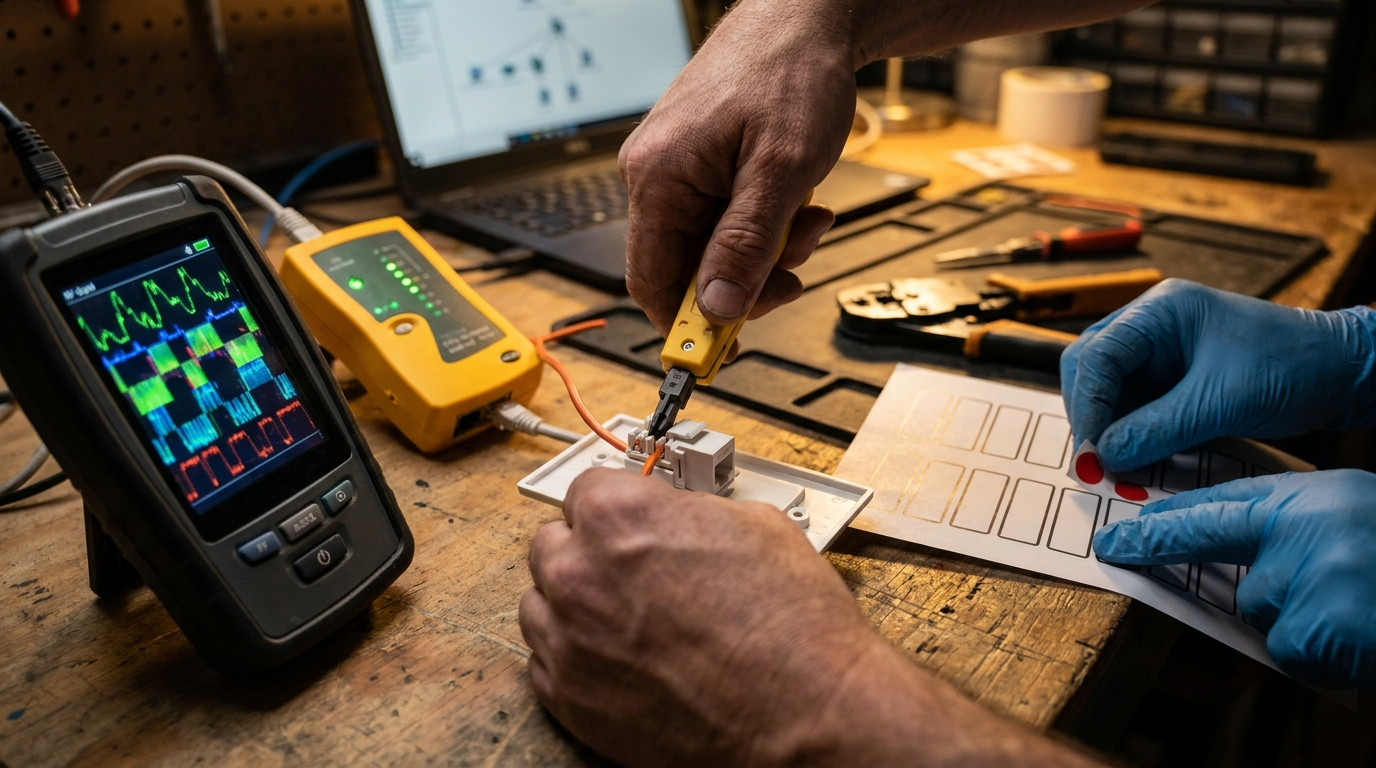
Staged deliverables and the single verification artifact
- Site survey — deliverable: signed RF heatmap PDF with annotated photos (owner signs scan) — verification: RF-HEATMAP.pdf
- Topology & wiring plan — deliverable: editable floor plan PDF or DWG showing Cat6 runs and pull-string locations — verification: NETWORK-TOPOLOGY.dwg / PDF
- Device selection & integration matrix — deliverable: CSV mapping device model → protocol → local-control yes/no → cloud dependency — verification: INTEGRATION-MATRIX.csv
- Staging / bench testing — deliverable: video/photos of bench test + staging checklist — verification: STAGING-REPORT.pdf
- Install & functional testing — deliverable: room-by-room test logs with pass/fail items — verification: TEST-LOGS.xlsx
- Failover testing — deliverable: documented tests of Internet outage, power outage, hub reboot behaviors — verification: FAILOVER-REPORT.pdf
- As-built & handover — deliverable: as-built drawings, exported automation rules (YAML/JSON), config backups on encrypted USB and secure Git repo, 1-year support plan — verification: HANDBACK.zip + SUPPORT-PLAN.pdf
Payment structure (recommended)
- Deposit: 20% on contract signing (funds for materials ordering).
- Midpoint: 40% after approved RF heatmap + wiring plan.
- Install completion: 30% after room-by-room tests pass and owner initial sign-off.
- Final: 10% holdback for 30–45 days post-handover; released after as-built docs, config backups, and customer training delivered.
Verification artifacts to demand (use these exact file names in contract): RF-HEATMAP.pdf, NETWORK-TOPOLOGY.dwg, INTEGRATION-MATRIX.csv, STAGING-REPORT.pdf, TEST-LOGS.xlsx, FAILOVER-REPORT.pdf, HANDBACK.zip.
Citation: Require full as-built documentation and a 1-year support plan at handover — JoJoRomeo & Associates — 2023.
Pitfall to avoid: Paying final balance without physical config backups and training — that leaves you locked out if the integrator disappears.
Use our vendor selection checklist in Choosing a System Integration Company when you compare proposals.
How to require and evaluate mixed‑ecosystem architecture plans (Zigbee/Z‑Wave/Thread/Wi‑Fi)
What to cover:
- Ask for an integration matrix: model → protocol → local-control capability vs cloud dependency → fallback plan.
- Require topology diagrams for radio coverage, hub placements, and gateway functions.
- Request future-proof notes: upgrade paths, spare capacity, and expected maintenance windows.
What to demand in the RFP:
- INTEGRATION-MATRIX.csv (device model, protocol, local/control endpoint, cloud dependency flag, expected firmware policy).
- RADIO-TOPOLOGY.pdf (hub placement, expected range, channel plans for Wi‑Fi, Zigbee channel selections).
- FALLBACK-PLAN.txt describing behavior during Internet loss, hub failure, and how automations degrade gracefully.
Important note: No reliable data found on authoritative multi-protocol best-practices; require vendors to provide case studies and local-control confirmation. Recommended research to commission: collect CEDIA whitepapers, Matter protocol docs, Zigbee/Z‑Wave Alliance interoperability guides, and 3 vendor case studies showing local-first vs cloud-first architectures. Inserted here per brief: “No reliable data found”.
Pitfall to avoid: Accepting vague “we’ll make it work” statements about multi-protocol environments without a documented local-control fallback — that leads to cloud lock-in and brittle automations.
See hub selection and local-control options in Home Automation Hub and our Home Assistant migration notes at Maintenance & Support Plans.
Pricing, timelines, warranties & red flags — what numbers to demand and which gaps to call out
What to cover:
- Hard numbers to request: labor hours per milestone, per-room device counts, hardware markup %, expected install timeline for 3–5 bedroom home, SLA/warranty lengths.
- Documents to collect with each quote: detailed hardware list with MSRP, labor hours per task, warranty terms, proof of insurance.
- Contract red flags to call out and avoid before signing.
Documents to require with every quote:
- Line-item hardware list (manufacturer + model + MSRP + quoted price + warranty duration).
- Labor estimate broken down by milestone (hours × rate per milestone) and a projected timeline.
- Proof of $1M+ liability insurance and any relevant licenses or certifications.
Citation: Require proof of $1M+ liability insurance and explicit code-compliance documentation — CapitolTechnologyGroup — 2023; directories often omit multi-vendor proof — MySmartCocoon — 2023-01-01.
Red flags (do not sign if present):
- No as-built delivery clause.
- No config-backup or export clause.
- No proof of insurance or certifications (ask for CEDIA or equivalent case studies).
- Quotes that lack per-milestone labor breakdown or show large undefined “contingency” line items.
Pitfall to avoid: Choosing the lowest bid without a hardware breakdown and insurance proof — exposes you to warranty gaps and added change orders.
Compare device TCO and install traps with our device guides at Best Smart Home Devices.
Conclusion
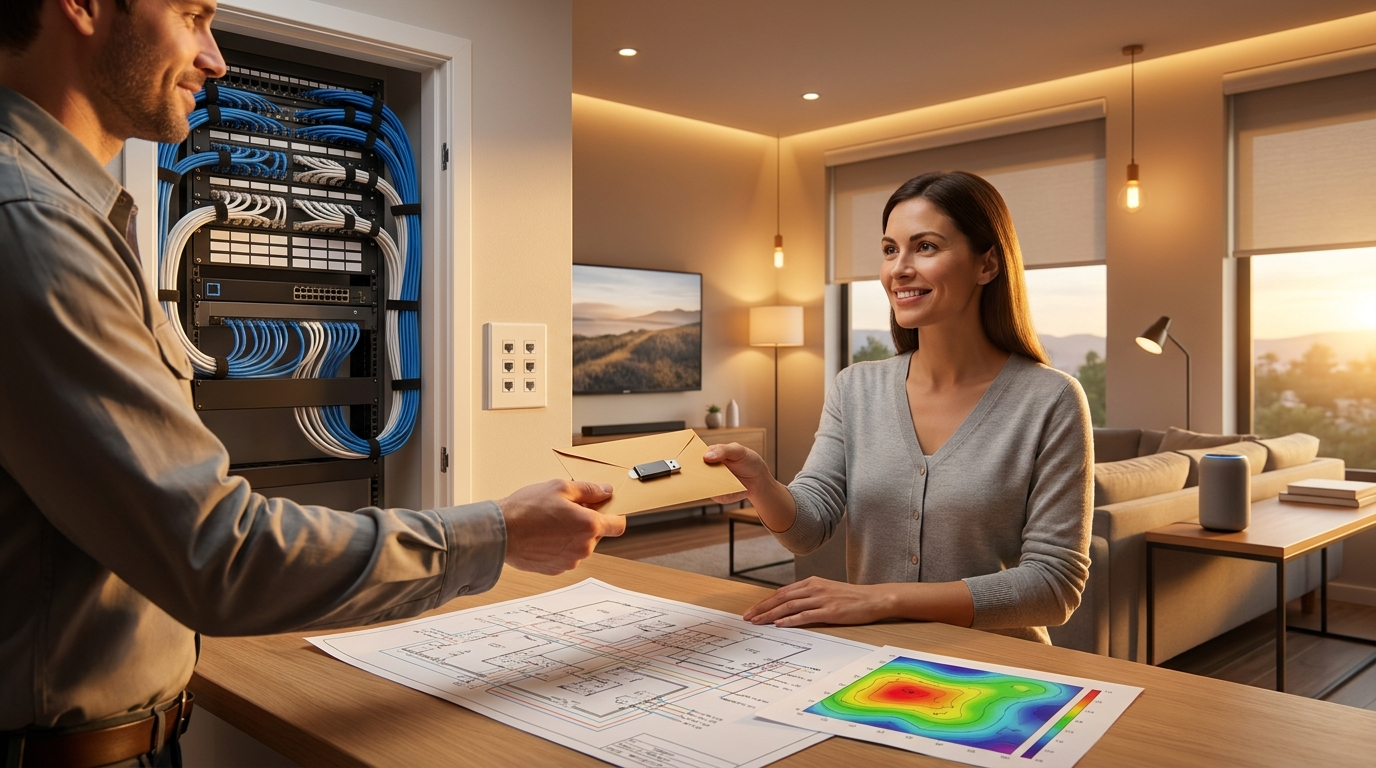
Follow this vendor-ready plan and you will get 3–5 comparable, realistic bids from local home automation companies near me and be able to select a vetted installer with enforceable milestones. Collect your prerequisites, attach the inventory and speed-test screenshots to your RFP, demand the milestone artifacts listed above, and withhold the final 10% until as-built docs and config backups are delivered.
Next step: compare vendor proposals, request the INTEGRATION-MATRIX.csv and RF-HEATMAP.pdf from each bidder, and choose the one that provides case studies, insurance proof, and a clear local-control fallback. Read more: Choosing a System Integration Company.
FAQ
What exact files should I give to home automation companies near me before they quote?
A speed-test screenshot, an exported device inventory (model/protocol/firmware), a floor plan marked with existing wiring, and photos of the breaker panel.
How fast does my Wi‑Fi need to be to avoid extra network upgrade charges?
Aim for 100 Mbps+ and confirm your router supports 50+ concurrent devices to reduce the chance vendors will add network upgrade line items (see CapitolTechnologyGroup — 2023).
What single wiring standard should I require to future-proof a whole-home install?
Require Cat6 runs as a minimum—plan for at least 1 Cat6 run per room and specify conduit/pull-strings for future upgrades (see CapitolTechnologyGroup and Instructables — 2023).
What must be in the vendor handover package?
As-built drawings, RF heatmaps, wiring schematics, exported automation rule/config backups, an encrypted USB with credentials, and a documented 1-year support plan.
What are immediate red flags in vendor proposals?
No insurance/certification proof, no as-built/doc delivery commitment, vague SLAs, and quotes lacking per-milestone labor breakdown are immediate red flags.
If vendors disagree on mixed-protocol strategy (local vs cloud), what should I ask them to show?
Ask for an integration matrix showing which functions run locally vs cloud, fallback behavior during outages, and the hub/bridge models with documented local-control capability; escalate if they cannot produce it.