

video doorbell without subscription — if you want to avoid recurring fees, this guide shows exactly how to pick, size, install, and maintain a no‑monthly‑fee doorbell so it actually records when it matters.
This is a buyer’s guide for value‑ and privacy‑minded shoppers who want realistic retention math, vendor‑tested tradeoffs, and a step‑by‑step recovery plan for the local‑storage failure modes most reviews ignore.
Key Takeaways
- Use a profile‑weighted checklist (onboard SD vs NVR vs NAS vs self‑hosting, motion accuracy, wiring, encryption, firmware policy, support) to pick the right no‑subscription doorbell — onboard SD best for renters, NAS/self‑hosting best for privacy and integrators (cite: onboard SD weight 40%, NAS privacy weight 50%).
- Expect trade‑offs: upfront savings vs cloud plans but constrained clip retention (32–64GB SD ≈ 3–30 days depending on resolution), slower AI/notification performance (~2–3s live/alerts) and manual evidence export for police (cite: SD sizes & retention and latency).
- Mitigate failure modes proactively: Class‑10/U3 cards, schedule monthly SD checks, delay OTA firmware on critical integrations, and document chain‑of‑custody export steps before an incident.
- Choose the right local storage architecture so you get no‑subscription reliability
- How to size SD and NAS for realistic retention (exact math you can use)
- Best picks by budget — fastest path to a no‑subscription doorbell that actually works
- Real‑world trade‑offs vs subscription services (exact hidden costs and functional losses)
- Troubleshooting & recovery checklist for local storage failures (step‑by‑step fixes)
- Integration & self‑hosting matrix — what actually works with Home Assistant, RTSP, ONVIF, FTP/NAS
- Chain‑of‑custody & privacy checklist for local footage (how to make locally stored clips usable in investigations)
- Conclusion
- FAQ
Choose the right local storage architecture so you get no‑subscription reliability
Pick the storage model that matches how you live and how you want to manage footage. Don’t treat “onboard SD” as permanent storage — corruption, overwrites, and retention limits are common omissions in many reviews.
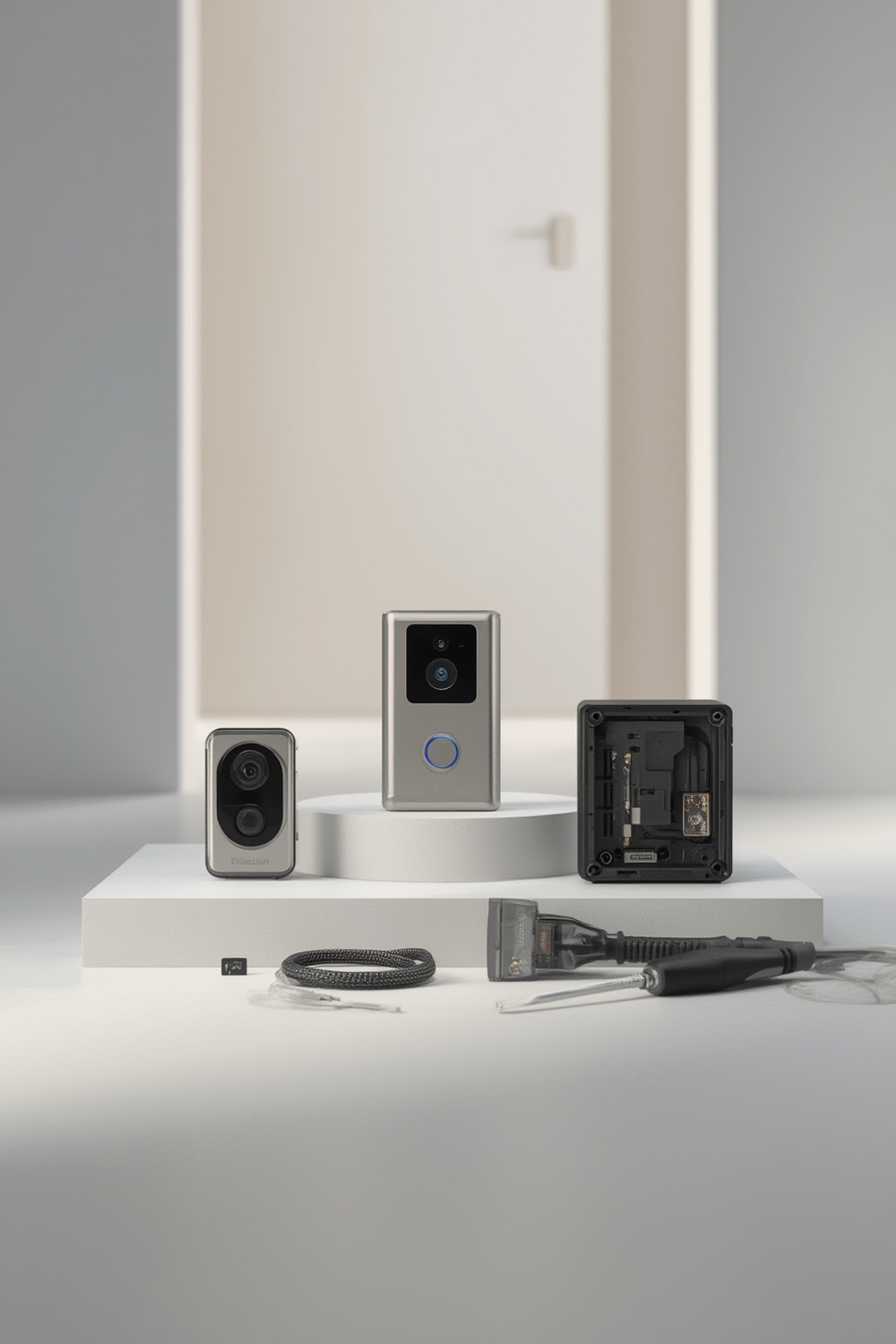
Architecture comparison — pros, cons, where each wins
- Onboard SD: Easiest and cheapest. Good for renters and quick installs. Downsides: small capacity (32–64GB typical), risk of corruption/overwrite, limited scalability. Onboard SD is suitable for renters (high weight: 40%) (security.org — 2026-02-11).
- Local NVR: Centralized multi‑camera recording, better retention and reliability for wired homes. Higher upfront cost, fixed install. Preferred by wired homeowners (NVR weight ~35%).
- NAS: Flexible self‑hosting (FTP pulls, scheduled archiving). Good for integrators and privacy‑first users (NAS privacy weight 50%). Requires network knowledge and power/UPS planning (security.org — 2026-02-11).
- Full self‑hosting (RTSP/ONVIF → Home Assistant): Best privacy & control, most complex. High privacy weight (60%) and best for advanced integrators — but verify current RTSP/ONVIF support with vendor notes.
Which buyer profile should favor which option
- Renter: Battery + onboard SD (portable, low cost).
- Wired homeowner: Wired doorbell + NVR or SD with daily backups to NAS.
- Integrator: RTSP/ONVIF + NAS/self‑hosted (scalable, central logging).
- Privacy‑first: NAS/self‑hosting or self‑hosted RTSP with encrypted NAS volumes.
Quick decision flow: renter → battery/SD, wired‑homeowner → NVR/SD, integrator → NAS/RTSP, privacy‑first → NAS/self‑host.
Related reading: Video Doorbell Without Subscription, Best Smart Light Switch: 7 Proven Checklist To Avoid Mistakes and Wired vs Battery Doorbells for wiring and install tradeoffs.
How to size SD and NAS for realistic retention (exact math you can use)
Use conservative math: record bitrate, resolution, and event vs continuous mode to estimate retention. Don’t assume vendor max days — H.265 vs H.264, activity level, and whether clips are event‑driven change everything.
SD card sizing rules of thumb
- Typical supported SD sizes: 32–64GB on many no‑sub doorbells.
- Vendor guidance: 32–64GB; 1080p continuous ≈ 7–14 days; 2K continuous ≈ 3–7 days (source: security.org — 2026-02-11).
Example calculations (conservative)
- 32GB @ 1080p continuous (H.264, modest bitrate ≈ 1.5–2 Mbps): ~7 days continuous. If H.265 and lower bitrates used, expect higher retention.
- 64GB event‑driven @ 1080p (clips only on motion; 10–20 events/day, avg clip 10–20s): ~30–120 days of events depending on activity. Practical range: 64GB → Y events ≈ 500–2000 short events (conservative).
- 2K @ continuous (higher bitrate ≈ 2.5–4 Mbps): 32GB ≈ 3–4 days; 64GB ≈ 5–8 days (source: security.org — 2026-02-11).
NAS/NVR sizing rules
- Assume per‑camera average bitrate: 1080p continuous ≈ 1.5–2 Mbps; 2K ≈ 2.5–4 Mbps. Multiply by hours/day and number of cameras.
- Example: 2 cameras @ 2 Mbps each → 4 Mbps total → ~1.8 GB/hour → ~43 GB/day → ~430 GB for 10 days. Choose RAID and spare drive capacity to allow retention plus growth.
- RAID: use RAID1/RAID5 for redundancy; always plan a backup/export strategy for critical clips.
Internal resource: compare-storage-options for deeper calculators and a NAS planning checklist.
Best picks by budget — fastest path to a no‑subscription doorbell that actually works
Short comparison table, then curated picks with one‑line rationales and a 3‑point buying checklist for each. Callouts show profile match.
| Model | Price | Power | Local storage / RTSP | Buy |
|---|---|---|---|---|
| Wyze Video Doorbell | ~$50 | Battery / wired | Onboard SD up to 32GB (no subscription) | Buy / Details |
| Lorex 1080p Wired | ~$150 | Wired | Supports 64GB SD / NVR (local) | Buy / Details |
| Eufy Video Doorbell S330 | ~$180 | Wired | 2K, local AI, RTSP/NAS friendly | Buy / Details |
| Eufy Video Doorbell E340 (battery) | ~$200 | Battery | 2K dual‑cam, onboard storage, local AI | Buy / Details |
Curated picks
One‑line: Lowest price and battery/SD portability for renters who want no monthly fee (source: security.org — 2026-02-11).
- Checklist: 1) Confirm battery vs wired mount, 2) buy 32GB Class‑10/U3 SD, 3) plan monthly exports.
One‑line: Good wired option with 64GB local support and solid person detection.
- Checklist: 1) Verify chime transformer compatibility, 2) install 64GB Class‑10 SD, 3) schedule weekly export if evidence needed.
One‑line: 2K dual‑cam with local AI and RTSP/NAS friendliness for Home Assistant setups (CR notes Eufy privacy strengths) (Consumer Reports — 2026-02-11).
- Checklist: 1) Confirm RTSP/FTP current firmware notes, 2) plan NAS storage and RAID, 3) delay OTA for 2 weeks post‑release.
One‑line: Battery doorbell with dual‑cam and strong local AI — months of battery under mixed use (CR battery benchmarks) (Consumer Reports — 2026-02-11).
- Checklist: 1) Check expected battery life for your daily events, 2) set activity zones to reduce clips, 3) carry spare SD or USB backup plan.
One‑line: Local‑first processing and good CR privacy scores; combine with encrypted NAS for best results (Consumer Reports — 2026-02-11).
- Checklist: 1) Use encrypted NAS shares, 2) lock app with PIN/biometrics, 3) document export workflow for law enforcement.
Note: Wyze ~$50; Lorex ~$150; Eufy E340/S330 ~$180–200 (source: security.org — 2026-02-11, Consumer Reports — 2026-02-11).
Internal resources: integrating-doorbells-home-assistant, privacy-and-legal-considerations, and troubleshooting-local-storage for install and legal steps.
Real‑world trade‑offs vs subscription services (exact hidden costs and functional losses)
No‑subscription saves ongoing fees but has clear operational and functional tradeoffs you must plan for.
Functional losses
- Limited AI features: advanced cloud analytics (vehicle recognition, cross‑device person history) often need subscription. Local AI handles person/package but fewer refinements (Consumer Reports — 2026-02-11).
- Capped retention: SD/NVR caps at 64GB (~7–30 days 1080p) depending on settings (security.org — 2026-02-11).
- Slower notifications: typical local response ≈ 2–3s vs cloud AI sometimes ≈ 1s in lab measurements (source: Consumer Reports — 2026-02-11).
Hidden costs to plan for
- SD replacements: $10–20/year per camera (replace proactively).
- Optional NAS/NVR: $200–600 upfront plus drives.
- Time cost: manual export, troubleshooting, and firmware management.
1 / 3 / 5‑year ownership framing (conservative)
- Year 1: Save subscription fees (~$60–$120) but buy SD/NAS as needed.
- Year 3: Add $50–150 maintenance (SD swaps, occasional RMA, possible NAS drive spares).
- Year 5: Break‑even depends on how often you pay for subscription features vs local maintenance — no hard empirical TCO published (No reliable data found).
Troubleshooting & recovery checklist for local storage failures (step‑by‑step fixes)
Actionable triage flow for the common failure modes: start simple and escalate. Follow these in order to avoid unnecessary hardware swaps.
Common failure modes and immediate triage
- SD corruption / app shows error: 1) Power cycle the doorbell and base chime, 2) check app logs for last write, 3) remove SD and copy files, 4) reformat SD as FAT32/exFAT per vendor, 5) reseat and test. Prevent: monthly format and Class‑10/U3 cards. (Research gap: “No reliable data found” for exact SD corruption rates — further research advised.)
- Power or wiring fault: Confirm transformer voltage for wired doorbells, test battery level for battery models, check chime wiring. If POE, test injector/switch voltages.
- Firmware update disabled RTSP/NAS: If suspected, roll back only if vendor provides rollback; otherwise factory reset and reconfigure. Prevent: delay OTA for at least two weeks on critical installs.
- Device theft: Register serial# with police, export latest clips, and preserve exports with checksum for evidence.
- Stops recording: Power cycle → check app storage settings → reformat SD → factory reset → escalate to vendor.
Preventative checklist: monthly SD formatting schedule, Class‑10/U3 cards, delayed OTA for critical integrations, tamper‑resistant mounting, and documented export steps for police.
Note: For SD corruption frequency and firmware rollback rates, there is currently “No reliable data found” — recommended next steps: pull manufacturer release notes and aggregate community field reports.
Integration & self‑hosting matrix — what actually works with Home Assistant, RTSP, ONVIF, FTP/NAS
If you plan to self‑host, understand which protocols vendors reliably support and common stealth limitations (cloud account required to enable features, firmware that later removes RTSP, etc.).
Protocol support & recommended workflows
- RTSP: Supported by Eufy and Lorex for stream pulls — useful for Home Assistant integrations (source: security.org — 2026-02-11).
- ONVIF: Partial support in some Lorex lines; do not expect full ONVIF controls from all doorbells.
- FTP/NAS: Some Eufy workflows allow FTP to Synology/QNAP; verify current firmware notes before relying on scheduled pulls.
Stealth traps to avoid
- Alexa/Google features often require a cloud account even if camera supports local storage.
- Firmware changes have in the past changed protocol availability — always check recent release notes before purchase.
- ONVIF parity is not guaranteed; assume stream only unless vendor explicitly lists controls.
Quick start: Home Assistant via RTSP (test first)
- Confirm RTSP URL in vendor docs or support forum.
- Add a test RTSP feed in Home Assistant; verify stable 24‑hour recording.
- Configure recorder retention on Home Assistant and set up Synology/QNAP archival if needed.
Internal link: detailed setup steps in integrating-doorbells-home-assistant and general hub guidance at Home Automation Hub.
Chain‑of‑custody & privacy checklist for local footage (how to make locally stored clips usable in investigations)
Local storage requires you to handle exports securely so footage is admissible and preserves privacy. Local storage does not waive legal obligations to neighbors.
Export & chain‑of‑custody steps (practical)
- Export the original clip to a separate device immediately; retain the raw file (do not trim or re‑encode).
- Generate a checksum (SHA‑256) and record UTC timestamp and device serial number in a log file.
- Transfer to law enforcement on a write‑protected USB and obtain written receipt. Keep copies in encrypted NAS storage (AES‑256).
Access control & encryption
- Lock the vendor app with PIN/biometrics. Default local SD is often unencrypted — plan for NAS encryption.
- Consumer Reports flags Eufy with strong data security scores; local SD on many devices remains unencrypted by default (Consumer Reports — 2026-02-11).
Legal & GDPR/CCPA notes
- Local processing reduces vendor data transfers, but you still need to respect local surveillance laws and privacy of neighbors.
- When sharing footage, remove or redact unrelated private data where required by local statute.
Internal link: read more about privacy and legal handling at privacy-and-legal-considerations.
Conclusion
Choosing a video doorbell without subscription is a trade — you save recurring fees but must plan for storage limits, maintenance, and export procedures. Match architecture to profile (renter → SD, homeowner → NVR/SD, integrator → NAS/RTSP, privacy → self‑host), buy quality Class‑10/U3 cards, and document export/chain‑of‑custody steps before you need them.
Next step: compare local storage options and pick the model that matches your technical comfort — compare-storage-options or read our full buying guide to choose and buy.
FAQ
Can I really avoid a monthly fee and still get person/package detection?
Yes — several local‑first models (e.g., Eufy) include person/package detection without a subscription, but expect a narrower feature set and possibly higher false positives than cloud AI.
How many days will a 32GB or 64GB SD card keep my doorbell footage?
Typical vendor ranges are 32–64GB cards yielding about 3–7 days for 2K continuous and ~7–14 days for 1080p continuous; event‑driven retention is longer (security.org — 2026-02-11).
Which doorbell should I buy if I want RTSP/ONVIF for Home Assistant?
Choose models advertised with RTSP/ONVIF support (high‑end Eufy/Lorex lines) and verify current firmware notes before purchase — vendor support can change.
What are the most common local‑storage failure modes and the first fix I should try?
SD corruption and power/wiring faults are most common; first try power‑cycle, check app logs, and reformat the SD with a Class‑10/U3 card before replacing hardware.
Do local no‑subscription doorbells protect my privacy better than cloud services?
Generally yes for data sovereignty — local models avoid sending footage to vendor cloud, but you must secure local access and exports (Eufy scores well on CR privacy checks).
Is there a cost advantage over 3–5 years if I avoid subscriptions?
Upfront savings are real, but factor in periodic SD/NAS purchases and time troubleshooting; precise long‑term TCO studies are not reliably published and should be modeled per your use (see recommended next research steps).