

smart thermostat without c wire is a common search for homeowners who want smart control without running new wiring. This guide gives a practical purchase and DIY path so you can pick the right option, wire it safely, and avoid common failures.
Key Takeaways
- You can often install a smart thermostat without a C-wire using batteries, power-stealing models, or inexpensive adapter kits; each option has tradeoffs in reliability and warranty risk.
- C-wire adapter kits cost about $15-30 and usually install in 30-60 minutes and offer the best reliability for minimal cost.
- Energy savings of 10-15% are realistic with a properly configured smart thermostat, but wiring method rarely changes ROI compared with correct scheduling and behavior.
Planning a full smart home build? Start with our best smart home devices guide to pick devices that work well together.
The Core Concept
Why no C-wire options exist and who is buying them. Many homes still use legacy line-voltage or simple battery thermostats installed decades ago. Homeowners want smart features like remote control, scheduling, and energy reports without paying to run new wires through walls or attics. Manufacturers responded with battery-powered models, power-stealing designs, and C-wire adapter kits to simplify installs.
Market context: wireless connectivity dominates the broader smart thermostat market at 68.23% share, which helps explain the push for simpler wiring and plug-in solutions. The U.S. smart thermostat market was valued at USD 2.36 billion in 2024 with projected growth into the next decade, but no authoritative public data isolates the subset of models that are explicitly no-C-wire. For background market reading see Roots Analysis and Grand View Research sources: rootsanalysis.com and grandviewresearch.com.
Important research gap: No specific 2024 market statistics isolate smart thermostats without C-wire requirements. That means you must check your home, model specs, and seller Q and A before assuming compatibility.
Step-by-Step Guide
This section walks you through deciding, preparing, and installing a smart thermostat without a C-wire. Use it for common DIY installs; stop and call a pro if you see incompatible wiring or complicated control boards.
1. How to check if you have a C-wire
- Turn off power to HVAC at the breaker to be safe.
- Remove the thermostat cover and look for a wire in the terminal labeled C or COM. Common terminal letters: R, Rc, Rh, W, Y, G, C.
- If you have a loose spare wire tucked behind the wall, it may be possible to repurpose it as a C-wire at the furnace or air handler.
- Open the furnace or air handler and confirm a C terminal on the control board and the presence of the wire from the thermostat bundle. If terminals are unlabeled, photograph and consult your HVAC manual or an installer.
2. Quick decision: battery, power-steal, adapter, or run a wire
Use this rule of thumb:
- Battery-powered thermostat: fastest and cheapest but expect periodic battery changes and limited features on some models.
- Power-stealing thermostat (like many Nest variants): no battery required but can cause power instability on some systems and may trigger HVAC behavior like short-cycling.
- C-wire adapter kits or power extender module: low cost ($15-30) and high reliability for many installs; typical install time is 30-60 minutes.
- Run a new C-wire or hire a pro: best long-term reliability for complex systems, multi-stage equipment, or if warranty/insurance requires factory-style wiring.
3. Basic wiring checklist before swap
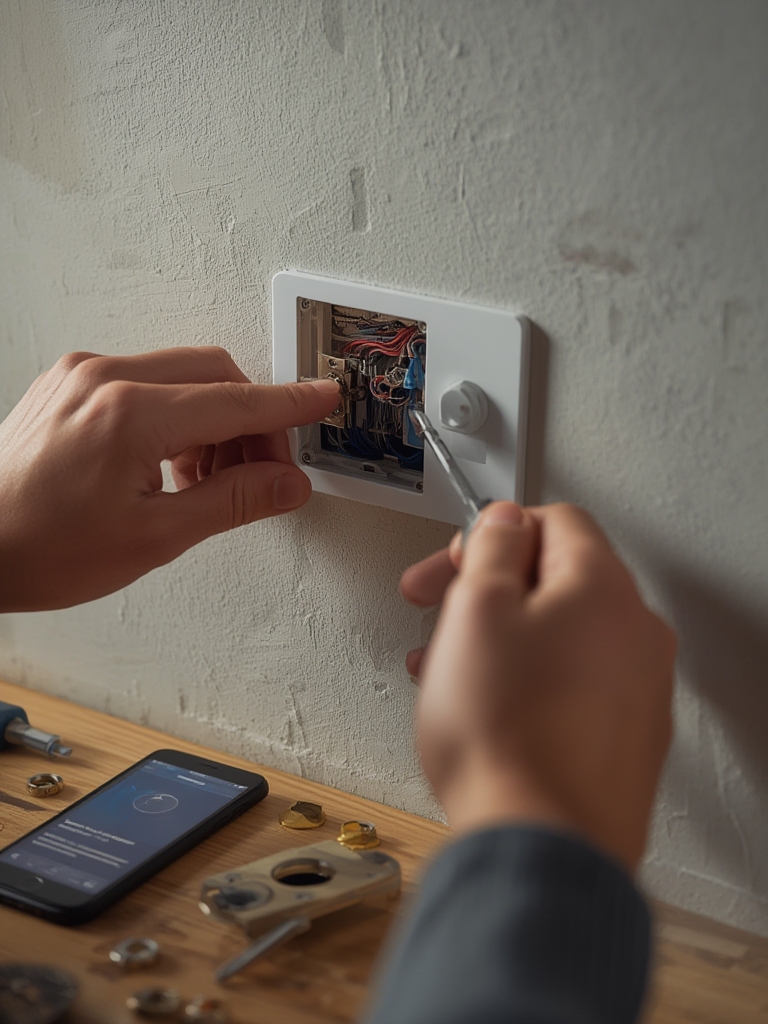
- Turn off HVAC power at breaker.
- Label wires and photograph terminal layout.
- Confirm system type in the thermostat instructions: heat pump, conventional, millivolt, or electric baseboard.
- If you choose adapter kit, confirm adapter wiring diagram matches your terminal letters.
- After install, restore power and verify the thermostat powers up and connects to Wi-Fi before reattaching cover.
4. When to call a pro
Call an HVAC pro if you have a millivolt system, line-voltage heating, multi-stage or fire-safety interlocks, unclear wiring in the furnace, or you are uncomfortable working near the control board.
Advanced Analysis & Common Pitfalls
This section consolidates tradeoffs, model choices, reliability notes, and troubleshooting flows so you can plan for long-term performance.
Four power approaches compared
| Method | Pros | Cons | Expected Cost | Install Time |
|---|---|---|---|---|
| Battery-powered models | Simple DIY, no wiring changes | Battery replacements, limited runtime for advanced displays | $0 additional | 15-30 min |
| Power-stealing thermostat | No batteries, neat install | May cause HVAC control issues on older boards | $0 additional | 15-30 min |
| C-wire adapter / power extender | Reliable 24V power, inexpensive | May void some warranties; minor wiring at furnace required | $15-30 | 30-60 min |
| Run a new C-wire or pro add-on | Best long-term reliability, preserves warranties | Higher labor cost, invasive if walls closed | $75-300+ pro install depending on access | 1-4 hours |
Note: Research shows C-wire adapter kits offer excellent reliability, cost $15-30, plug into wall outlets, and typically install in 30-60 minutes; however, documentation on voltage stability and warranty implications is limited. For one summary discussion see malekservice.com.
Best smart thermostat models for no-C-wire installs
Selection criteria: power method support, HVAC compatibility, battery backup, UX, size, price, and warranty. Short list for cost-conscious homeowners and DIYers:
- Emerson Sensi (widely used with battery options, good DIY support; many units sold monthly).
- Google Nest Thermostat models (power-steal designs on some units; lots of user reports on no C-wire installs).
- Ecobee variants with included power extender adapters for certain setups.
- Amazon Smart Thermostat (budget option with simple setup for common systems).
Sales and review context: over 4,000 Sensi units reportedly sell monthly, and Google Nest has 8,300+ reviews mentioning no-C-wire installs in some retail pages. No complete model-level spec matrix was available in the supplied research, so confirm exact terminal and power requirements on manufacturer datasheets before purchase. See market overview at imarcgroup.com.
Real-world reliability and common pain points
Because model-level incidence data is not available, advice is conservative and evidence-based. Typical, anecdotal issues reported across forums include:
- Faster battery drain on battery-only units when using Wi-Fi and large displays.
- Wi-Fi dropouts caused by weak signal or thermostat reboot loops under low power.
- Short-cycling or failure to call for heat due to power-steal incompatibility with older HVAC boards.
- Incompatibility with millivolt, 120/240V line-voltage, or proprietary control systems.
Root-cause workflow for troubleshooting:
- Check battery level and swap if low.
- Reboot thermostat and HVAC power to clear errors.
- Verify terminal voltages at thermostat and at furnace control board. If below 20-24 VDC, suspect power supply problem.
- Try the adapter kit or power extender if power-steal fails. If problems persist, call a technician.
Research gap reminder: No data on incidence rates or time-to-failure for no-C-wire installs was found. Treat manufacturer claims cautiously and capture photos and notes before any pro visit.
How effective are C-wire adapter kits and power extenders?
How they work: most adapter kits either provide a stable 24 VDC source by wiring into the furnace 24 VAC terminals or use a plug-in module to simulate a C connection. They reduce power starvation and are inexpensive.
Compatibility and caveats: adapter kits generally support common forced-air systems but may be incompatible with special HVAC control boards or safety interlocks. Installing a kit can sometimes be quicker than running wire, but some manufacturers warn that nonstandard power methods could affect warranty. No detailed voltage stability or failure-rate metrics were in the supplied research. See a general vendor overview at prophecymarketinsights.com.
Energy savings and ROI
Independent program-level numbers show Energy Star certified smart thermostats reduce heating and cooling costs by approximately 10-15%, with some households reporting 15-20% drops. That range provides a practical ROI baseline. Factors that change ROI the most include climate, HVAC efficiency, insulation, occupancy patterns, and how aggressively you use scheduling and setbacks. The research did not find studies separating savings by power method, so the choice between adapter and native C-wire usually does not drive savings directly.
Cost comparison and install expectations
- Device price bands: Budget $60-100, Mid $100-200, Premium $200-300+.
- Warranty lengths commonly vary 1-5 years; many product pages lack clear comparative warranty details in public datasets.
- DIY install: most thermostat swaps take 15-60 minutes depending on chosen power method.
- Pro install to run a new C-wire: often $75-300 depending on access and region; running wire through finished walls rises to the high end.
Research limitations: model sale metrics exist in some reports, but detailed model-level installation specs and warranty impacts were not consistently available in the supplied research. Verify each product page and manufacturer documentation prior to purchase.
Troubleshooting checklist and when to add a native C-wire
- Check battery, reboot, and confirm Wi-Fi.
- Confirm terminal wiring matches the thermostat documentation.
- Measure voltage at thermostat terminals. If voltage drops under load or cycles below 20 V, consider adapter or new C-wire.
- Yellow flags to run a new C-wire: frequent reboots, HVAC not responding, multi-stage equipment misbehaving, or if instructed by manufacturer support.
- Prepare this checklist for an HVAC pro: photos, terminal labels, furnace model, and the exact thermostat model you plan to install.
Content gaps competitors miss
Opportunities to add conversion-driving content include brand-specific wiring diagrams, downloadable installer diagnostics, an ROI calculator tailored to HVAC type and climate, and a compatibility matrix. The supplied research did not identify the top missing subtopics in competitor pages. Prioritize wiring diagrams, clear adapter compatibility lists, and a one-page wiring checklist download to convert readers to product pages or pro services.
Conclusion
Installing a smart thermostat without c wire is practical for many cost-conscious homeowners. Batteries or power-stealing models work for simple systems, but C-wire adapter kits at about $15-30 provide the best mix of reliability, low cost, and fast install time. When in doubt, document your wiring, try a low-cost adapter, and call a pro for complex systems. For downloads and next steps, get our wiring checklist PDF or find a local installer through the links on our site.
Call to action: Download the wiring checklist, compare model specs on our product comparison page, or use our local installer finder if you need a pro-run C-wire.
FAQ
Can I install a smart thermostat without a C wire?
Yes. You can install some smart thermostats without a C-wire using batteries, power-stealing designs, or a C-wire adapter kit. Confirm your HVAC type and thermostat compatibility before swapping. If in doubt, take photos and consult the manufacturer or an HVAC pro.
How reliable are smart thermostat c wire adapter kit solutions?
Adapter kits are generally reliable and low cost, typically $15-30, and often install in 30-60 minutes. They provide stable 24 V power for most systems, but documentation on voltage stability and warranty impacts is limited, so check manufacturer guidance.
Which smart thermostat models work best without a C-wire?
Models from Emerson Sensi, Google Nest, Ecobee, and Amazon have options for no-C-wire installs through batteries, power-steal behavior, or included adapter modules. Always verify the exact model wiring requirements on the manufacturer datasheet before purchase.
What are the signs I need to add a native C-wire?
Frequent reboots, thermostat failing to connect or control HVAC, short-cycling, or multi-stage system misbehavior are signs that a native C-wire or professional wiring is needed. If performance issues persist after trying an adapter, plan to run a new C-wire.
How much can I save with a smart thermostat without a C wire?
Energy Star certified smart thermostats generally reduce heating and cooling costs by about 10-15%, with some households reporting 15-20% savings. Savings depend more on behavior, climate, and HVAC efficiency than on the wiring method used.