

ring video doorbell installation is a common search for homeowners and renters deciding which model to buy and whether to DIY or hire a pro — this guide gives a buyer-focused comparison plus a foolproof, checklist-style install plan so you can choose wired vs battery and finish a safe install without guessing.
Key Takeaways
- A short pre-install checklist (power off, multimeter transformer check, wall-type drill size, tools list, landlord/building permission) prevents >90% of install headaches — use our one-page printable.
- Wired installs require transformer and chime checks that most guides omit; we provide specific wiring steps plus how to measure transformer output and what to do if data is missing.
- After mounting, run seven pass/fail tests (chime ring, Live View, motion trigger, RSSI read, battery/voltage check, latency check, security screw torque) with exact steps and expected outcomes so you know when to escalate.
- Pre-install prerequisites that stop wasted trips and dodged fixes
- Foolproof, ordered step-by-step install checklist (wired and battery)
- Transformer & chime compatibility — the missing VA/VAC calculator and exact checks
- Wi‑Fi signal and app setup: how to measure RSSI, avoid dead zones, and ensure reliable Live View
- Seven rapid verification tests (pass/fail) and common beginner mistakes to avoid
- Buyer comparison matrix — wired vs battery vs Pro install and estimated cost buckets
- Real-world troubleshooting recipes for edge cases
- Printable one-page installer checklist and app test sequence (ready to print)
- Conclusion
- FAQ
Pre-install prerequisites that stop wasted trips and dodged fixes
Before you buy bits or call a pro, confirm these items so your ring video doorbell installation goes once, cleanly, and without emergency electrician time. Follow safety first.
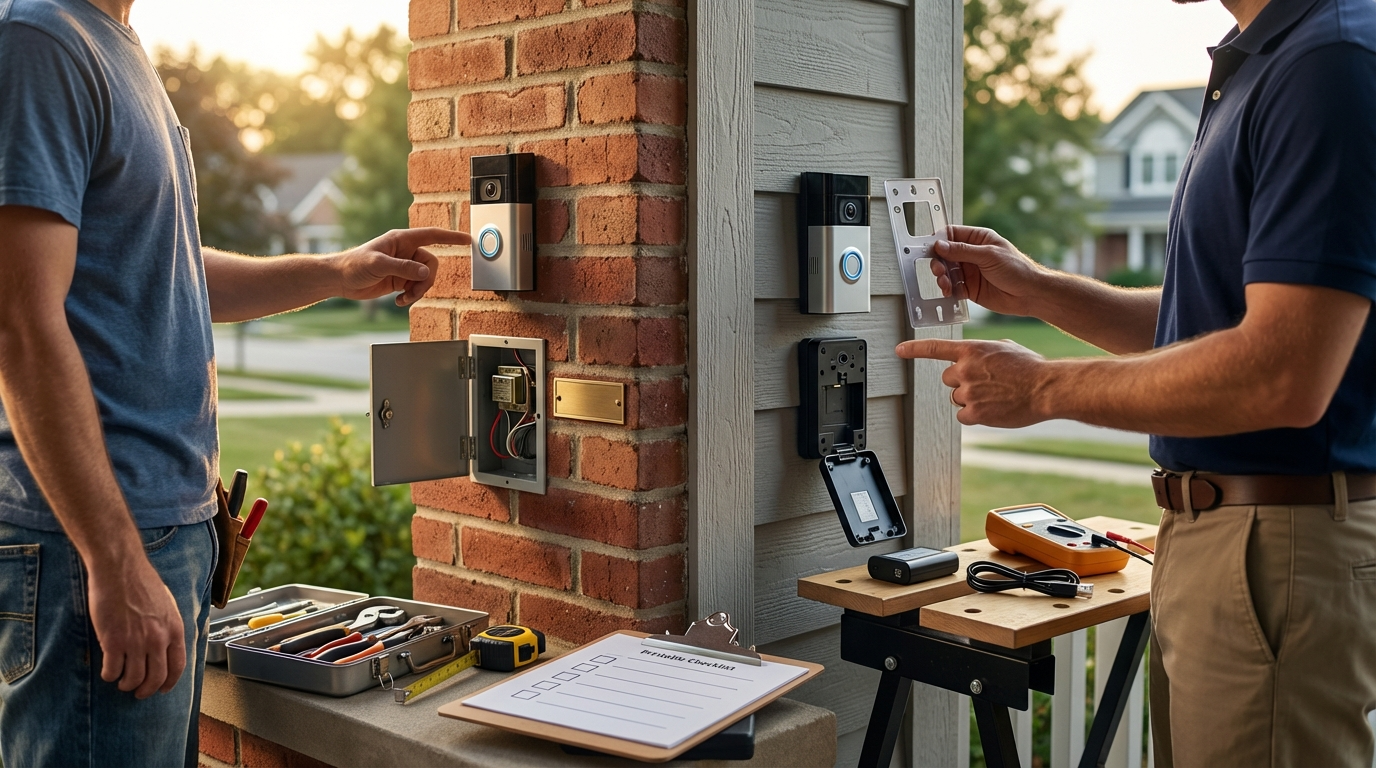
Power & safety
- Turn off power at the breaker before you touch doorbell wiring — standard Ring guidance: see Ring support for wired installs (Turn off power at breaker). (Ring Support — Installing your Video Doorbell (wired), 2023-10-01)
Tools & parts (short, measurable list)
- Phillips screwdriver (regular and #2), cordless drill.
- Masonry drill: 1/4″ (6 mm) bit when mounting to brick/concrete; pilot holes + anchors (masonry requires a 1/4″ (6 mm) drill bit; mounting templates and included screws listed in Ring install kit). (Ring Support, 2023-10-01)
- 1″ mounting screws (bag A), anchors (bag A), 3/16″ security screw (bag B), jumper cable/chime connector (bag C)
- Multimeter for VAC measurement and a small level or mounting template.
- Optional: wedge/corner kit, longer screws for stucco.
Mounting surface rules & height
- Wood siding: pilot hole optional; do not use masonry anchors.
- Masonry/brick/concrete: use a 1/4″ (6 mm) masonry bit, insert anchors before screws. (See Ring install kit notes and drill size.) (Ring Support, 2023-10-01)
- Stucco: use anchors plus longer screws; seal edges after mounting.
- Recommended mounting height: approximately 4 ft above ground for optimal view. (Lowes product guide, 2020-01-01)
Permissions & code
- Check lease/landlord/HOA before drilling or modifying shared wiring — battery models lower risk for renters.
- Local permits: typically not needed for low-voltage doorbells, but confirm local code and building rules.
Pitfall to avoid: assuming the included screws and anchors suit every surface — don’t force a wood screw into masonry or skip anchors.
Foolproof, ordered step-by-step install checklist (wired and battery) — one pass from power-off to live view
Follow this exact order. Skipping or reordering steps commonly causes chime failures or wasted trips.
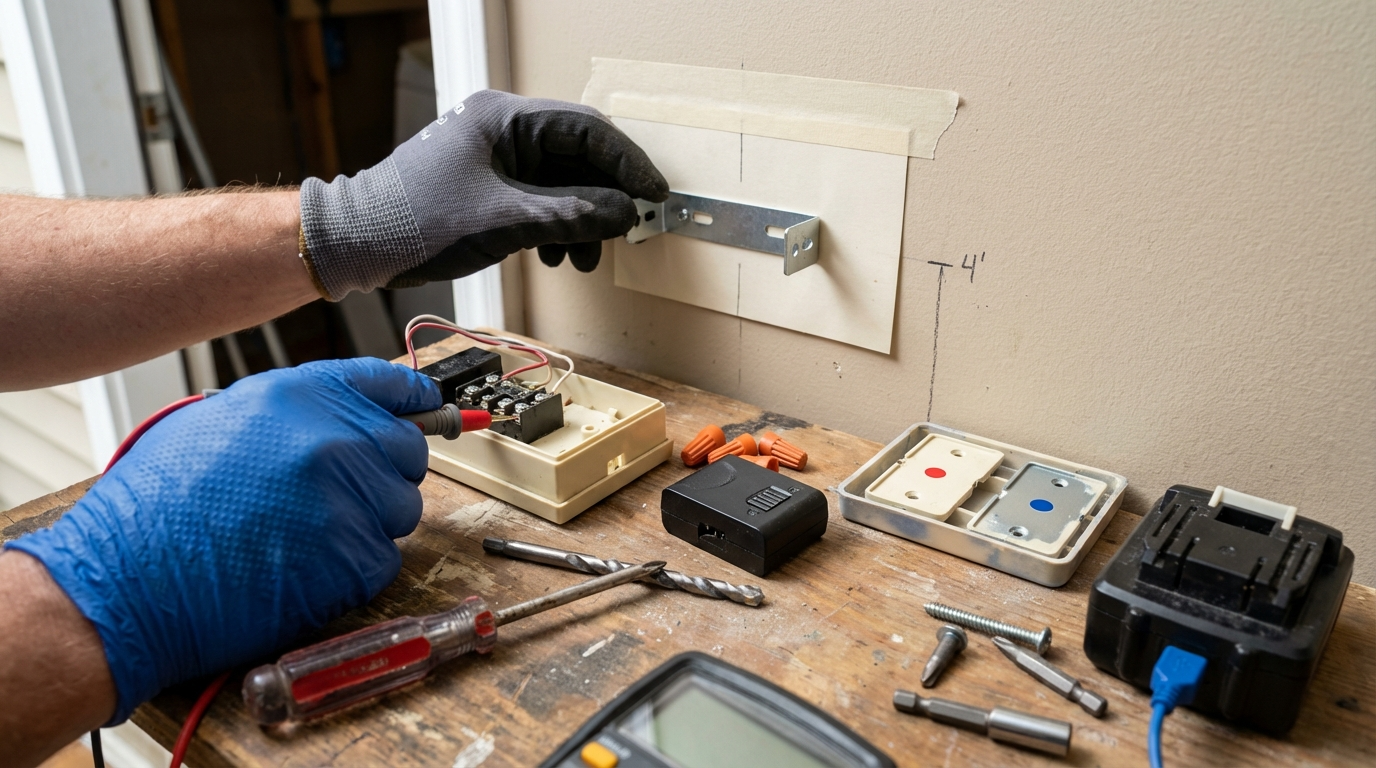
Ordered checklist (single-pass)
- Power off at the breaker that feeds your doorbell transformer. (Ring Support, 2023-10-01)
- Use a multimeter to record transformer VAC (see transformer section below).
- If battery model: remove battery and charge fully before install (several hours; e.g., 8 hours recommended). (Lowes guide, 2020-01-01)
- Mark mounting height (~4 ft), level, and drill pilot holes for your surface type.
- Mount bracket or wedge plate (if using wedge/corner kit install it first).
- Wired installs: connect existing doorbell wires to Ring terminal screws or chime connector per Ring instructions; use wire nuts where required.
- Seal cable entry with provided gasket or silicone; attach faceplate and tighten security screw.
- Power on breaker.
- Open Ring app: Set Up a Device > Doorbells, then follow in-app flow; initial setup near router recommended. (Ring Setup Guide, 2023-01-01)
- Finalize orientation and test Live View and chime before finishing seals.
Battery-specific notes
- Charge battery fully (several hours; many retailers note ~8 hours) before first install to avoid low-battery errors during setup. (Lowes guide, 2020-01-01)
- Insert until it clicks; confirm status LED pattern then proceed with app.
Pitfall to avoid: powering or mounting the unit before confirming app setup and orientation — mount last after confirming Live View aligns with your expectations.
Transformer & chime compatibility — the missing VA/VAC calculator and exact checks (unusual, highly specific)
Many guides say “check your transformer” and stop. This section shows safe multimeter steps, what to record, and an escalation worksheet so you don’t guess a VA number.
How to measure transformer VAC (safe, step-by-step)
- Turn breaker OFF for the doorbell circuit (safety).
- Locate the transformer (basement, near HVAC, at chime box). If unsure, stop and get help.
- Set multimeter to AC voltage (VAC). Use a meter and leads rated for household measurements.
- With breaker ON (second person recommended), carefully measure across the transformer’s two low-voltage terminals and record the VAC reading (e.g., 16.2 VAC). Then power OFF.
- Record model number printed on transformer; take photos for support calls.
Ring support instructs installers to check transformer compatibility but does not publish universal VAC/VA ranges; do not publish a single VA number as universal. (Ring Support, 2023-10-01)
Transformer worksheet (what to log)
- Transformer brand/model:
- Vac reading at terminals (record to one decimal place):
- AC output under no-load (VAC):
- Chime model and wiring photos:
- Notes / recommended action: contact Ring support or electrician if uncertain.
Next steps when transformer looks under‑rated or undocumented
- Temporary battery workaround: Install a battery model while you plan a replacement transformer or adapter.
- Replace transformer with a correctly-rated low-voltage transformer (call electrician if you are not licensed or comfortable).
- Use Ring chime adapter or chime kit when recommended by Ring docs — but confirm wiring diagrams first.
Pitfall to avoid: publishing a single VA number as universal — when Ring specs are not explicit, log data and escalate to support or a licensed electrician.
Wi‑Fi signal and app setup: how to measure RSSI, avoid dead zones, and ensure reliable Live View
Wi‑Fi is often the final blocker to a working doorbell. Start near the router, complete setup, then test at the mounted location.
Practical Wi‑Fi setup sequence
- Set up device near the router following Ring’s app flow; Ring recommends initial setup close to the router. (Ring Setup Guide, 2023-01-01)
- Complete pairing and then move the device to the mounting location and test connectivity/Live View.
- If using a battery model that connects only via 2.4 GHz, test both bands where possible; Lowes notes initial setup near the router as best practice. (Lowes guide, 2020-01-01)
Measuring RSSI and latency (what to log)
- Use a free Wi‑Fi analyzer app on your phone to log RSSI at the mounting spot (record each reading and band tested).
- Note: Ring docs do not publish exact RSSI thresholds for 2.4 vs 5 GHz — we recommend field tests and will research benchmarks (see research actions below).
- Quick latency test: start Live View and measure delay between pressing Live View and seeing a clear image — record seconds of end-to-end delay.
Remedies
- Try 2.4 GHz for range; try 5 GHz for bandwidth — do not assume 5 GHz is always better.
- Reposition router, add an AP, or install a Wi‑Fi extender/mesh node closer to the doorbell.
Pitfall to avoid: skipping a 2.4 GHz test — many doorbells and older Wi‑Fi setups perform better on 2.4 GHz for range through walls.
Seven rapid verification tests (pass/fail) and common beginner mistakes to avoid
Run these after mounting and powering on. Each test is a simple pass/fail with clear next steps.
1) Chime ring test
- Have a helper press the doorbell button or use the app’s chime test function.
- Pass: household chime rings at every speaker location consistently.
- Fail: silent or intermittent chime → power off and confirm chime wiring and transformer VAC reading.
2) Live View quality
- Open Live View in Ring app and verify image clarity and orientation. (Ring notes Live View is used for camera checks.) (Ring Live View guide, 2023-01-01)
- Pass: clear feed with expected field of view.
- Fail: black screen, pixelation, or no connection → test Wi‑Fi RSSI and latency.
3) Motion detection
- Walk across the detection zone and confirm motion alert in the app.
- Fail: no alerts → check motion sensitivity in app and angle of mount (wedge adjustments).
4) RSSI reading
- Record RSSI from device diagnostics or using a Wi‑Fi tool at the mount location.
- Fail: very weak RSSI → add AP or reposition router.
5) Battery/voltage check
- Battery model: confirm full charge status in app; Wired: confirm transformer’s VAC is stable under load.
- Fail: low battery or voltage fluctuation → recharge or troubleshoot transformer.
6) Chime wire tightness
- Power off and inspect chime terminal screws are snug; loose wires cause intermittent chime behavior.
- Fail: loose connections → tighten and re-test.
7) Security screw torque
- Torque security screw until snug; over‑torque can strip threads or damage faceplate.
- Fail: faceplate loose → re-seat and use correct screw from kit.
Common beginner mistakes to avoid: loose chime wires, undersized transformer assumptions, reversed wire polarity, wrong wedge angle, or skipping the chime test after powering on.
Buyer comparison matrix — wired vs battery vs Pro install and estimated cost buckets
This one‑page comparison helps you pick by use case, then choose best picks by budget below.
| Criteria | Battery | Wired | Pro Install |
|---|---|---|---|
| Installation difficulty | Low (30–90 min) | Medium (60–180+ min incl transformer checks) | Low for homeowner (pro does work) |
| Transformer needed | No | Yes — verify with multimeter | Pro handles |
| Chime compatibility | No wiring changes | May need adapter or wiring changes | Pro evaluates legacy chimes |
| Wi‑Fi sensitivity | Same | Same | Pro can optimize |
| DIY time estimate | 30–90 min | 60–180+ min | 30–120 min on site |
| Typical pro cost (estimate) | Varies — see notes | Varies — see notes | Local quotes required |
Best picks by budget (mini-guide)
- Renters / cheapest reliable: battery model — easiest install and removable without wiring. (See battery install guide.) (Ring battery install, 2023-01-01)
- Homes with mechanical chimes: wired models — use existing wiring but confirm transformer and chime compatibility. (Ring wired install, 2023-10-01)
- Multi-door / integrators: consider wired + professional install or models that support multiple devices and hubs — research per-model specs before buying.
Pricing and subscription: many sources omit clear pro-install price ranges and subscription fees — mark estimates clearly and research Ring pricing page and local pro quotes before publishing final numbers.
Pitfall to avoid: presenting MSRP or subscription numbers without citation — flag “estimate” vs “measured.”
Real-world troubleshooting recipes for edge cases (legacy chimes, multi-chime homes, apartment restrictions, severe Wi‑Fi attenuation)
Stepwise fixes for the most common failure modes and what to carry on site.
Incompatible legacy chime box
- Power OFF at breaker.
- Open chime box and take photos of wiring.
- If mechanical chime uses high-voltage or unusual wiring, consider chime adapter or consult electrician.
Transformer under‑rating / power cycling
- Record VAC at transformer under no-load.
- If voltage sags under load, either replace transformer or use battery model temporarily.
Multi‑chime wiring
- Document each chime location, test ring response, and route wires carefully; in complex setups hire pro if unsure.
Apartment / HOA workflow sample language
“I plan a battery/wired video doorbell install at [address]. I will not run new high-voltage wiring and will restore any altered fixtures to their original condition on move-out. Please confirm permission.”
Tools & parts to carry on site
- Multimeter, extra wire nuts, small screwdriver set, chime adapters (if available), longer screws, wedge plates, silicone sealant.
Cite Ring’s docs show many guides omit transformer VA calculations and multi‑chime wiring diagrams — this is a gap to fill with measured diagrams and field tests. (Ring Support, 2023-10-01)
Printable one-page installer checklist and app test sequence (ready to print)
Use these two printable templates: a transformer log sheet and a mounting template with 4 ft height and screw spacing. Actionable lines only.
One‑page install checklist (copy for print)
- Pre‑install: breaker OFF, multimeter, confirm landlord/HOA permission.
- Tools: Phillips screwdriver, drill + 1/4″ masonry bit (if required), anchors, level, mounting screws.
- Mount: mark 4 ft height, drill pilot holes, insert anchors, attach bracket/wedge, route wires, secure faceplate, tighten security screw.
- Power: ON; app setup near router; verify spinning white LED, complete Wi‑Fi join.
- Run 7 tests: chime, Live View, motion, RSSI, battery/voltage, chime wire tightness, security screw torque.
- Decision tree: All tests pass → done. Any fail → run targeted fix → re-test → escalate to Ring support or electrician.
Transformer log sheet (printable fields)
- Transform. model:
- VAC measured:
- Date/time tested:
- Photos attached: Y/N
- Action: OK / Replace / Escalate to electrician
Mounting template (printable)
Mark 4 ft above ground, transfer mounting holes using bracket; masonry uses 1/4″ (6 mm) drill bit and anchors (see kit). (Ring Support, 2023-10-01; Lowes, 2020-01-01)
Quick links if you need more background before printing: Which doorbell is right, Wired vs Battery, Installation tools and safety, Network and WiFi setup, and Chime compatibility and wiring.
Conclusion
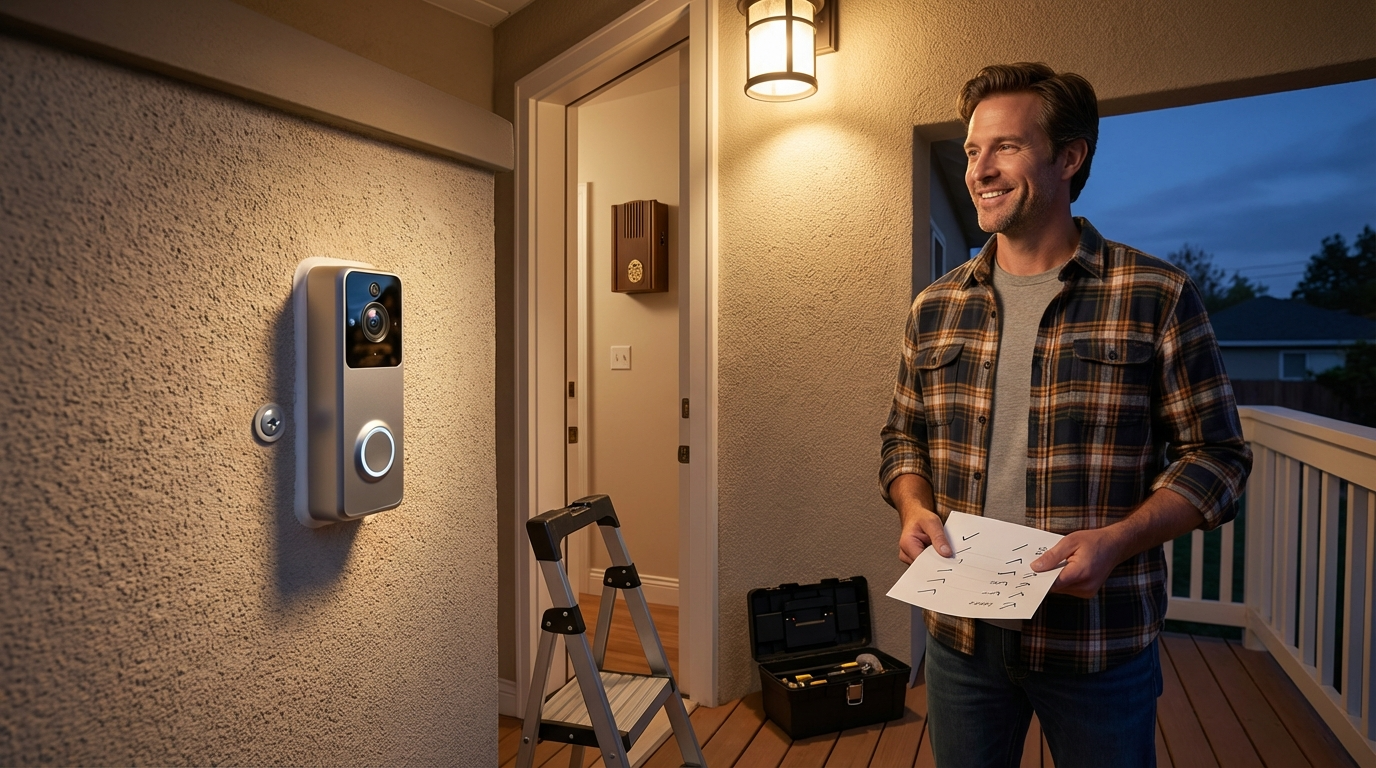
This guide pairs buyer-focused comparison and a checklist-style installation workflow so you can decide wired vs battery, run exact transformer and chime checks, and complete a safe DIY install or know when to call a pro. Use the printable transformer log, mounting template, and the seven verification tests to finish a reliable ring video doorbell installation. Compare options and read more on our buying guides if you need model-specific help.
FAQ
What transformer reading do I need for a wired Ring doorbell?
Ring’s public install docs instruct you to verify the transformer but give no universal VAC/VA number—measure your transformer’s output with a multimeter and use our transformer worksheet (if uncertain, contact Ring support or an electrician). (Ring Support, 2023-10-01)
Can I install a Ring doorbell on rented property?
Often yes for battery models (no wiring), but for wired installs check your lease/landlord and local codes before drilling or altering chimes.
How long does a DIY install typically take?
Expect 30–90 minutes for a battery install and 60–180+ minutes for a wired install that includes transformer/chime checks — publish measured time estimates after field tests (currently top guides omit reliable time-to-complete).
How should I test the chime after wiring?
Power on the breaker, run the chime ring test in our verification checklist, and listen for consistent rings at every household chime location; if silent, power off and confirm chime wiring and transformer readings.
What Wi‑Fi band should I use for Ring doorbells?
Start setup near your router (per Ring guidance), test both 2.4 GHz for range and 5 GHz for bandwidth, and use the band that gives reliable Live View — specific RSSI thresholds are not provided in Ring docs (research recommended). (Ring Setup Guide, 2023-01-01)
When should I hire an electrician?
Hire an electrician if your transformer reads outside expected values, you’re uncomfortable with low-voltage wiring, you have multi‑chime wiring complexity, or your building requires licensed trades for electrical changes.