

home automation hub buyers planning a whole‑home deployment need a single, measurable checklist to compare devices, design RF and Ethernet topology, and execute safe migrations from Zigbee/Z‑Wave to Matter and local control. This guide gives the objective tests, runbooks, and procurement deliverables you can use to select a shortlist and stage a purchase or trial.
Key Takeaways
- Use a tight objective checklist (protocol breadth, true local execution, device limits, CPU/RAM/storage, backup/HA options, integration breadth, app maturity, privacy/firmware policy, 3‑yr TCO) to avoid vendor marketing noise.
- For whole‑home reliability, design RF meshes and Ethernet backbone as primary constraints: expect to split Zigbee/Z‑Wave radios into zoned bridges before hitting “hundreds” of end devices; test and log real device join/rejoin behavior during commissioning.
- Have a consolidation runbook: capture failure‑mode diagnostics (which logs to collect), staged migration steps (bridge → local driver → Matter bridge), and clear escalation paths (rollback steps, safe firmware update tactics).
- Protocol & Local‑Control Checklist
- Realistic Device, Bridge and Automation Limits
- Whole‑Home RF & Network Blueprint
- Common Failure Modes, Logs to Collect and Step‑by‑Step Runbook for Recovery
- Best Picks by Budget
- Professional/Installer Architectures, Backup/HA & 3‑Year TCO Checklist
- Security & Privacy Acceptance Tests
- FAQ
- Conclusion
Protocol & Local‑Control Checklist: guarantee Matter + legacy support and true local execution
Checklist first: confirm support for Matter, Thread, Zigbee, Z‑Wave, Wi‑Fi and Bluetooth in vendor specs and community reports. Verify that automations run locally and that legacy Zigbee/Z‑Wave devices can remain during transition.
Exact protocol matrix to ask for
- Matter (controller + bridge behavior)
- Thread (border router support)
- Zigbee (coordinator firmware and channel control)
- Z‑Wave (series/voice region and S2 support)
- Wi‑Fi (2.4/5GHz band behavior for devices)
- Bluetooth (BLE provisioning / mesh)
Example evidence: “Aqara M3 supports 4 protocols (Zigbee, Thread, Wi‑Fi, Matter) but lacks Z‑Wave/Bluetooth” (see https://www.youtube.com/watch?v=N8nqhLP2CUI — 2025-09-20).
How to detect missing protocols
- Check the device spec and release notes for protocol names and firmware versions.
- On first boot, use the hub UI or CLI to list enabled adapters (e.g., /dev/tty* or integrations list).
- Attempt a device join in a controlled lab with a known Zigbee/Z‑Wave/BLE peripheral.
Local execution: test cases
Run these measurable tests and log times (use a packet capture or timestamps in UI):
- Local switch → light toggle: measure on/off latency (target <100–300 ms local).
- Automation driven by local sensor (no cloud account): disconnect WAN and run sequence.
- Concurrency test: trigger 10 automations simultaneously and record automation queue length and completion time.
Legacy bridging & migration guidance
When migrating, keep Zigbee/Z‑Wave coordinators active as bridges until Matter drivers for those device classes exist. Don’t assume Matter means full legacy migration — vendor docs are often silent on per‑device bridging behavior.
Reference: Home Assistant Green highlights local control capabilities (see https://www.youtube.com/watch?v=N8nqhLP2CUI — 2025-09-20).
Realistic Device, Bridge and Automation Limits (what vendors won’t tell you)
Vendors cite “hundreds” of devices. That number is ambiguous. You must derive practical limits for your topology, device mix, and reporting frequency.
Why marketing numbers mislead
Marketing counts vary: battery sensors that report rarely, mains‑powered bulbs that flood updates, and endpoints that offload processing. A hub’s practical limit depends on device type, reporting rate, and automation concurrency.
Note: “No reliable data found for concrete device/automation limits per model — see review attempt” (Tom’s Guide — 2025-09-20).
Practical test plan (do this in your lab or during a trial)
- Baseline: add 25 devices of mixed types (mains lights, battery sensors, thermostats). Record CPU, RAM, and automation latency.
- Scale: add devices in batches of 25 and run a script to toggle 10–20 endpoints per second; measure queue length and failed commands.
- Edge: add 50+ battery sensors configured to send frequent updates and observe rejoin behavior after network flaps.
If failures appear, offload: add zoned radios, federate controllers, or move high‑frequency devices to Wi‑Fi local drivers.
Reference: Hubitat Elevation is often reported handling “hundreds” of Zigbee/Z‑Wave devices in practice (see Tom’s Guide — 2025-09-20).
Whole‑Home RF & Network Blueprint: Wi‑Fi, Zigbee/Z‑Wave mesh placement, Thread/Ethernet backbone (1–5 bedroom homes)
Design RF zones first, hub placement second. Ethernet backbone and zoned coordinators reduce mesh contention and improve latency.
Zoning rules
- One coordinator per floor or wing as a starting rule. Move to 1 per major RF obstruction (concrete/metal walls).
- Place coordinators centrally in each zone, elevated, and on different Zigbee channels from neighboring networks.
- Use Ethernet backhaul for hubs/bridges. Avoid placing a single coordinator in a basement and expecting coverage upstairs.
Vendors often place a single coordinator in marketing photos — avoid that pitfall. See examples of hub coverage in reviews (Hubitat C‑8 referenced in Tom’s Guide — 2025-09-20).
Practical device counts per zone
- Main floor: 20–80 mains devices + 10–30 sensors depending on layout.
- Basement/attic: treat as separate zones if materials block RF.
- Multi‑unit: each unit gets its own coordinator for tenant isolation.
When to add repeaters: if end devices are battery powered or report frequently, introduce powered repeaters or wired endpoints in each zone.
Checklist to avoid dead spots
- Wired uplinks for each hub/bridge and AP.
- Separate SSIDs or VLANs for IoT to reduce interference and improve security.
- AP placement: central, line‑of‑sight where possible, avoid closet placement for mesh backhaul.
Common Failure Modes, Logs to Collect and Step‑by‑Step Runbook for Recovery
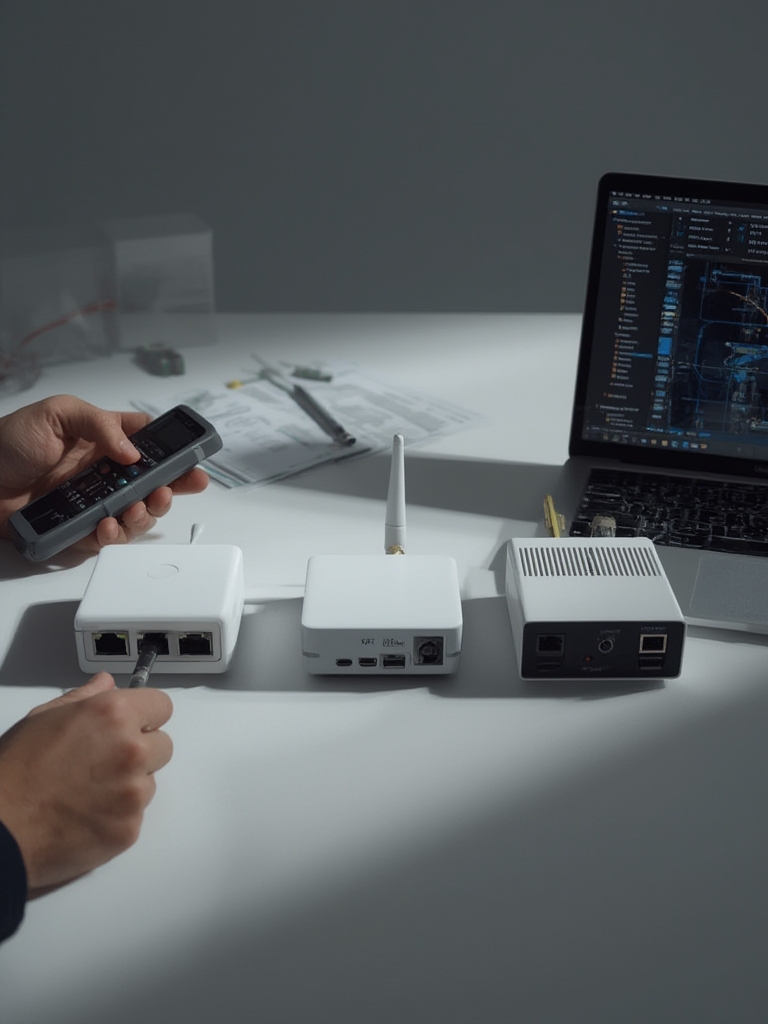
This is the most action‑oriented section: capture what to log, how to mitigate, and exact steps for safe recovery and migration. Insert the key image and the practical runbook elements below.
Common failure modes & which logs expose them
- Zigbee/Z‑Wave congestion — check route tables, neighbor lists, and retry counters.
- Matter bridge conflicts — examine bridge logs, device UUID collisions, and pairing timestamps.
- CPU/memory exhaustion — capture top / htop, dmesg, and automation queue length.
- Firmware update failures — collect firmware update logs and device state pre/post update.
- Mesh rejoin storms — export coordinator logs and timestamped join events.
- Cloud→local fallback failures — trigger WAN down tests and collect automation traces.
Exact diagnostics to capture (copy/paste runbook)
Collect these files or outputs before contacting vendor/support:
- Zigbee coordinator route table export (UI or zigbee2mqtt/zigbee‑herdsman logs)
- Z‑Wave neighbors and routing table (Z‑Wave PC controller dump)
- System metrics: top output, free -m, df -h
- Automation engine trace or audit log covering the event timeline
- Timestamped network captures (tcpdump) during failure windows
Immediate mitigations and staged recovery
- Mitigate: isolate the failing zone (disable automations), switch to manual control, and keep critical automations on a separate local controller if available.
- Diagnose: collect the logs listed above and snapshot the hub config.
- Rollback: if a firmware update caused the issue, follow vendor rollback steps; if none exist, remove affected devices to a quarantine coordinator and re‑pair after factory reset.
- Rejoin: stagger re‑pairing and monitor route stability; use a wired bridge where possible to avoid RF saturation.
- Escalate: if logs show hardware/resource exhaustion, plan for federating controllers or moving heavy traffic devices to Wi‑Fi/Thread.
Best Picks by Budget (comparison table + short rationale)
One‑page comparison and clear buy guidance. Match picks to your topology and TCO, not just features.
class,model,protocols,local/cloud,device limit (official/tested),CPU/RAM/storage,backup/HA options,mobile app maturity,privacy notes,retail price
Budget,Aqara M3,"Zigbee, Thread, Wi‑Fi, Matter",Hybrid,"No reliable data found",No reliable data found,No reliable data found,Cloud+local features,Good (HomeKit),Local recording/no subscription for many devices (see YouTube),Variable
Mid-range,Aeotec Smart Home Hub,"Zigbee, Z‑Wave, Matter (bridge)",Hybrid,"No reliable data found",No reliable data found,No reliable data found,Good,Depends on vendor,No reliable data found
Power‑user,Hubitat C-8,"Zigbee, Z‑Wave",Local-first,"Reported hundreds (community)","No reliable data found",Local backup options,Strong (power user),Privacy-focused,Listed at $149 (Tom's Guide)
Privacy‑first,Home Assistant Green,"Thread, Matter, Wi‑Fi, Zigbee via USB",Local-first,"No reliable data found",See device page,Snapshots/backups,Community-driven,Local control,See YouTube
Professional/Homey Pro 2023,"Multi protocol, Matter",Local/hybrid,"No reliable data found",No reliable data found,Installer options,Advanced dashboards,Installer-focused,See vendor| Class | Model | Protocols | Local / Cloud | Device limit (official/tested) | CPU / RAM / Storage | Backup / HA | App maturity | Privacy notes | Retail price |
|---|---|---|---|---|---|---|---|---|---|
| Budget | Aqara M3 | Zigbee, Thread, Wi‑Fi, Matter | Hybrid | No reliable data found (Tom’s Guide) | Not published | Cloud + local features | Good (HomeKit) | Local recording/no subscription (see Aqara video — 2025-09-20) | Variable |
| Mid‑range | Aeotec Smart Home Hub | Zigbee, Z‑Wave, Matter (bridge) | Hybrid | No reliable data found | Not published | Not published | Good | Depends on vendor | See vendor |
| Power‑user | Hubitat C‑8 | Zigbee, Z‑Wave | Local‑first | Reported handling “hundreds” (community) — Tom’s Guide | Not published | Local backup options | Strong for rules | Privacy‑focused | 149 (listed) |
| Privacy‑first | Home Assistant Green | Thread, Matter, Wi‑Fi, Zigbee via USB | Local‑first | No reliable data found | See product page | Snapshots/backups | Community‑driven | Local control (see video — 2025-09-20) | See vendor |
| Professional / Installer | Homey Pro 2023 | Multi protocol, Matter | Local / hybrid | No reliable data found | Not published | Installer options | Advanced dashboards | Installer‑focused | See vendor |
Short buying guidance:
- Budget: Aqara M3 — good for HomeKit/Matter novice migrations; confirm missing Z‑Wave/BLE (see Aqara video — 2025-09-20).
- Mid‑range: Aeotec Smart Home Hub — consider if you need an OEM Matter bridge.
- Power‑user: Hubitat C‑8 — choose for local, rule‑heavy deployments; listed at $149 (Tom’s Guide — 2025-09-20).
- Privacy‑first: Home Assistant Green — best for local control and custom automation.
- Professional: Homey Pro 2023 — installer dashboards and multi‑protocol support.
CSV: copy the CSV block above into a file named hub-comparison.csv for procurement teams.
Printable procurement checklist:
Procurement checklist (one page)
- Required protocols: Matter, Thread, Zigbee, Z‑Wave, Wi‑Fi, BLE (verify versions)
- Local execution: WAN disconnect test pass? (yes/no)
- Device limit evidence: vendor doc / community stress report attached
- Backup/HA: snapshot cadence and restore test documented
- Firmware policy: signed firmware? rollback available?
- Privacy: metadata retention clause and remote access encryption
- Installer SLA: hourly rates + HA options + sample topology diagram
Technician runbook (one page):
Technician runbook - failure diagnostics
1) Collect: coordinator route table export, Z‑Wave neighbor dump, top/htop, df -h, automation trace, tcpdump for 60s around incident.
2) Immediate steps: disable impacted automations, isolate failing radio, switch critical ops to backup controller.
3) Recovery: rollback firmware (if available), factory reset and re‑pair one device to validate, stagger rejoin.
4) Escalation: submit logs to vendor + community thread; if hardware limits reached, propose zoned radio plan.
Commands:
- top; free -m; df -h
- journalctl -u homeassistant.service --since "10 minutes ago"
- sudo tcpdump -i eth0 -w /tmp/capture.pcap
Professional/Installer Architectures, Backup/HA & 3‑Year TCO Checklist
Decide single hub vs federation by floor plan, device count, and SLAs. For mid/large homes, federation often outperforms a single hub because radios and CPU are parallelized.
When to choose which architecture
- Single powerful hub: smaller homes (1–2 bedrooms) with <50 high‑frequency devices and a strong local automation engine.
- Federated multiple hubs: multi‑floor or >100 mixed devices—zoned coordinators with an orchestration layer (Home Assistant or cloud bridge).
- Hybrid cloud fallback: required if installers must provide remote maintenance or tenant interfaces; ensure local execution for critical automations.
3‑year TCO checklist inputs to compute
- Hardware purchase and spare parts.
- Optional cloud subscriptions and per‑device fees.
- Installer costs: initial install, HA configuration, annual maintenance.
- Replacement cycle and firmware support windows.
Security & Privacy Acceptance Tests: what buyers must demand and how vendors stack up
Minimum acceptance tests you must request and verify before signing procurement or RFPs.
Minimal acceptance tests
- Local‑only mode: confirm hub behaves with WAN disabled.
- Signed firmware: request evidence of signing and rollback policy.
- Remote access: E2E encryption and proof of private key handling.
- Disclosure: vendor vulnerability disclosure policy and CVE history.
- Data controls: metadata retention and deletion procedures.
Aqara advertises local recording/no subscription for many devices (see https://www.youtube.com/watch?v=N8nqhLP2CUI — 2025-09-20).
Vendor evidence checklist for RFPs
- Firmware signing statement or whitepaper.
- Public CVE list or security tracker.
- Privacy policy excerpt on metadata retention.
- Local‑only operation instructions and test results.
“Vendor must provide a signed firmware policy, rollback procedure, proof of signed releases for the last 24 months, and documented local‑only operation steps. Include CVE list or security advisories for product lines.”
FAQ
Which hub is best if I want full local automation and privacy?
Choose a privacy‑first controller (e.g., Home Assistant Green or Hubitat) that supports local execution and documented local APIs; verify vendor docs and community evidence.
How many devices can a single hub support in a 3‑bedroom house?
There is no universal number — vendor marketing varies, and “No reliable data found” for exact limits; perform a staged stress test and plan zoned coordinators if you approach hundreds of devices.
Should I buy a Matter‑ready hub now or wait?
Buy a hub that supports Matter/Thread or provides clear bridge plans, but keep legacy Zigbee/Z‑Wave support in your architecture until you’ve migrated devices safely.
What’s the minimum networking setup for reliable whole‑home automation?
Wired Ethernet backbone for hubs/bridges, zoned AP placement, and at least one Zigbee/Z‑Wave coordinator per floor/wing are practical minimums.
How do I avoid bricking devices during firmware updates?
Stagger updates, apply to a small non‑critical subset first, keep device backups/config exports, and ensure vendor rollback/firmware archive policies are available.
Conclusion
Use this guide’s objective checklist and runbooks to compare hubs, run measurable tests, and plan a staged migration. For reliable whole‑home control pick a hub architecture that matches your layout and TCO, then validate with the stress tests and logs described here before you buy or hire an installer. Start comparing models and shortlist 2–3 hubs to trial, then run the procurement checklist above and proceed to buy or trial.