

home assistant music assistant compatible bluetooth speakers — pairing Bluetooth speakers with Home Assistant and the Music Assistant integration is possible, but requires specific hardware, stack choices, and testing to be reliable.
Key Takeaways
- Bluetooth speaker shipments and smart-speaker growth (940M devices in 2023; 345M speaker installed base by end‑2024) show clear demand for Home Assistant-compatible Bluetooth audio devices — plan for mixed reliability versus cast/AirPlay solutions (Statista, MarketGrowthReports).
- Success depends on the OS Bluetooth stack (BlueZ), a capable Bluetooth adapter, and Music Assistant configuration — use a powered USB adapter and test latency and reconnect behavior for your setup.
- Documented best-practices and automations (auto-reconnect, volume sync) reduce downtime; however, expect trade-offs for multi-room and codec support compared with native Cast/AirPlay systems.
Section 1: The Core Concept — What and Why
Bluetooth speakers are a dominant consumer audio channel: global Bluetooth audio device shipments totaled roughly 940 million units in 2023 with forecasts toward 1.3 billion by 2028, and a Bluetooth speaker installed base near 345 million units by end‑2024. That growth — plus a near doubling in smart Bluetooth speaker shipments between 2021 and 2024 — explains why Home Assistant users want a reliable Music Assistant ➜ Bluetooth speaker workflow (Statista, MarketGrowthReports).

In plain terms: you can use Music Assistant inside Home Assistant to route audio to Bluetooth speakers, but the result depends on:
- the host Bluetooth stack and drivers (BlueZ on Linux is most common),
- the adapter hardware (onboard vs USB dongle with chipset support),
- the speaker codec/profile support (A2DP is typical; high‑res codecs are often unsupported), and
- how Music Assistant or other bridges present the speaker to HA (as a media_player entity, squeezebox, mopidy, etc.).
Section 2: Step-by-Step Guide
This section gives a beginner-friendly, reproducible path to get Bluetooth speakers working with Home Assistant + Music Assistant. Two paths are common: Home Assistant OS (Raspberry Pi/NUC install image) and Home Assistant Container/Supervised on Linux. The commands below assume a Debian-based host where container mode needs Bluetooth support installed.
Hardware & cost checklist
- Host: Raspberry Pi 4/5, Intel NUC, or a small Linux server. Pi 4/5 works but use USB adapter for reliability.
- Bluetooth adapter: a modern USB dongle with Broadcom or CSR chipset that supports Bluetooth 5.x and Linux BlueZ (approx $15–$30).
- Optional: powered USB hub (if using multiple USB devices), high-quality shielded USB cable.
- Bluetooth speaker(s): Any A2DP-capable speaker. Cost varies: budget <$50 to audiophile $300+.
1) Prepare the host Bluetooth stack
On Home Assistant OS: use the built-in Bluetooth integration; for Pi 4/5 the onboard controller may work but a USB dongle is recommended for stability.
On Linux Container/VM (example Debian/Ubuntu):
sudo apt update
sudo apt install -y bluetooth bluez bluez-tools pulseaudio-module-bluetooth
sudo systemctl enable --now bluetooth
If you use PulseAudio or PipeWire, ensure the Bluetooth module is enabled. Reboot after installation.
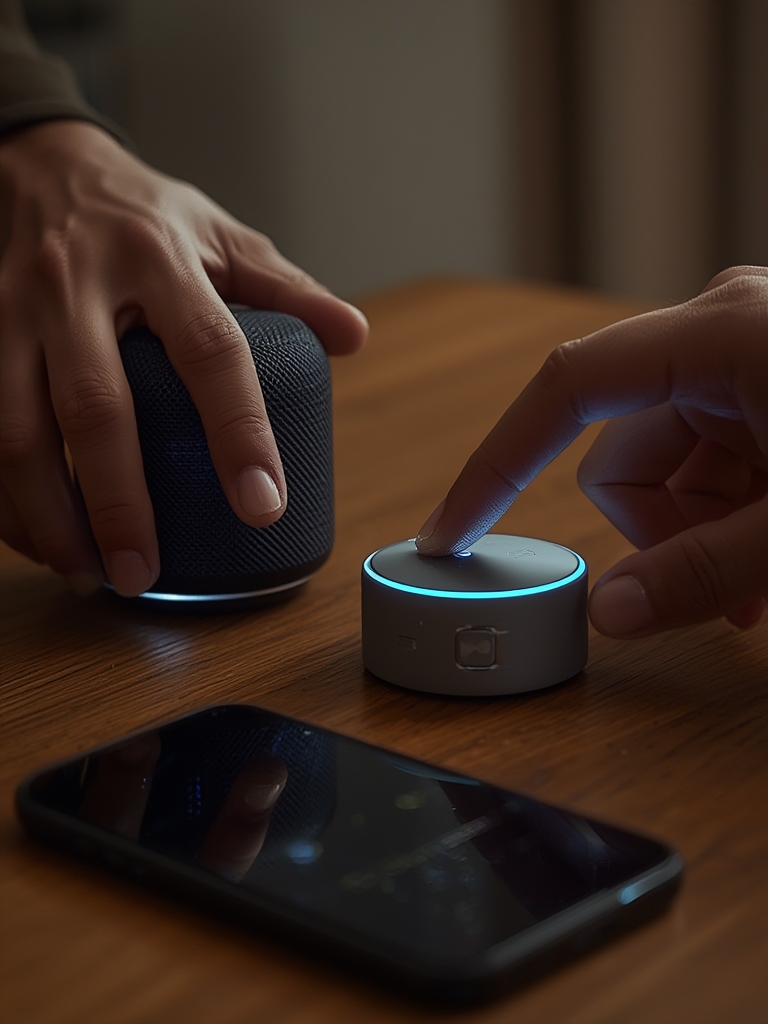
2) Pair the speaker with BlueZ
Pair with bluetoothctl (example):
bluetoothctl
power on
agent on
scan on
# Wait for device MAC, then:
pair XX:XX:XX:XX:XX:XX
trust XX:XX:XX:XX:XX:XX
connect XX:XX:XX:XX:XX:XX
exit
If connect fails, remove and re-pair. Use a powered dongle and ensure no other phone is connected to the speaker during pairing.
3) Install & configure Music Assistant in Home Assistant
Music Assistant is available via Integrations or HACS. Recommended flow:
- Install Music Assistant from the Integrations panel or HACS.
- Open Music Assistant and add your music sources (local library, Spotify, etc.).
- Choose an audio player plugin: if you exposed the Bluetooth speaker with PulseAudio/BlueALSA it will appear as a local audio device. Configure Music Assistant to use that output.
Example Music Assistant YAML (where applicable) — this is schematic; prefer the UI config where possible:
music_assistant:
  players:
    - type: local
      name: "Living Room BT"
      device: "bluealsa:HCI=hci0,DEV=XX:XX:XX:XX:XX:XX"
4) Automation: auto‑reconnect and source switching
Auto-reconnect automation example (basic):
alias: Reconnect BT Speaker
trigger:
  - platform: state
    entity_id: media_player.living_room_bt
    to: 'unavailable'
    for: '00:00:20'
action:
  - service: media_player.turn_off
    target:
      entity_id: media_player.living_room_bt
  - delay: '00:00:05'
  - service: media_player.turn_on
    target:
      entity_id: media_player.living_room_bt
Volume sync example (keep Music Assistant volume in lockstep with HA volume slider):
alias: Sync MA Volume
trigger:
  - platform: state
    entity_id: media_player.living_room_bt
    attribute: volume_level
action:
  - service: media_player.volume_set
    target:
      entity_id: media_player.music_assistant_player
    data_template:
      volume_level: "{{ state_attr('media_player.living_room_bt','volume_level') }}"
Troubleshooting checklist
- If audio stutters: test with direct host playback (aplay/mpv) to isolate Bluetooth vs Music Assistant.
- If speaker disconnects frequently: try a different USB adapter, shorter cable path, or powered hub.
- If device never appears: verify that BlueZ sees it (bluetoothctl show/pairs); check dmesg for driver errors.
- For multi-room, prefer native multiroom stacks (Cast, AirPlay, Spotify Connect); Bluetooth is usually single‑endpoint per host.
Section 3: Advanced Analysis & Common Pitfalls
Market trends show rapid Bluetooth adoption (Bluetooth 5.x at ~62% of new devices in 2024) and increasing daily usage (~3.2 hours/day in 2024), but Bluetooth’s consumer focus means vendors prioritize phone workflows, not always Linux headless hosts — that creates gaps when integrating with Home Assistant (Mordor Intelligence).
| Feature | Bluetooth (A2DP) | Cast / AirPlay / Native |
|---|---|---|
| Latency | Variable; often higher (not ideal for video sync) | Lower and more consistent on supported ecosystems |
| Multi‑room | Usually limited (workarounds required) | Built-in multiroom widely supported |
| Codec options | Often SBC; aptX/LDAC rare in Linux stacks | Proprietary or higher-quality codecs available |
| Reliability with HA | Depends on BlueZ/adapter; more manual recovery | Tends to be stable when natively supported |
Common mistakes and gaps (based on community patterns and integration docs):
- Assuming all Bluetooth codecs used by phones are available on Linux/HA — in practice, A2DP/SBC is the baseline.
- Using low-quality USB dongles; cheap chipsets often cause repeated disconnects.
- Expecting multiroom parity with Cast — Bluetooth is per-connection and usually single-stream.
- Not measuring latency — without tests you won’t know whether a speaker is acceptable for video sync.
Note on data gaps: reliable population-level failure rates, reconnection times, and per-model latency benchmarks are not publicly available in the sources provided, so you should run reproducible tests in your environment (see test method below).
Reproducible test method (recommended)
- Connect speaker to host. Play a 10s test tone and measure delay between host and speaker using a phone microphone and audio editor (clap at play start as sync point).
- Run a 1‑hour continuous stream and log any disconnect events (use journalctl / system logs for BlueZ messages).
- Record battery behavior for portable speakers over a full charge cycle if long sessions are required.

Conclusion
Bluetooth speakers can work with Home Assistant + Music Assistant, but success requires the right adapter, a stable Bluetooth stack, and realistic expectations about codecs, latency, and multi‑room behavior. Market growth and Bluetooth 5.x adoption show demand is rising, but Bluetooth integrations are still less turnkey than Cast or AirPlay. Test your exact hardware and build automations for reconnect and volume sync to make the experience reliable.
If you want a straightforward next step, subscribe for hands‑on setup guides, or compare hardware and step‑by‑step Pi images in our Home Assistant Raspberry Pi: 7 Easy Guide To Avoid Mistakes and see broader device picks in our Best Smart Home Devices: 7 Easy Guide to Improve Security. For related wiring and power tips check Smart Thermostat Installation: 5 Easy Steps to Save Money (Guide). If you need robust local networking or hub advice, read Home Automation Hub: 7 Best Guide to Improve Security, or if you prefer quick hardware fixes, our Best Smart Light Switch: 7 Proven Checklist To Avoid Mistakes has checklist style guidance you can reuse.
Ready to test? Follow the step-by-step guide above, pick a reliable USB adapter, and run the reproducible latency and disconnect tests described. If you run into issues, consult the troubleshooting checklist and log outputs to isolate whether the problem is speaker, adapter, or software stack related.
Final note: the exact phrase to keep in mind is home assistant music assistant compatible bluetooth speakers — run your own tests before committing to a multi-room or mission‑critical deployment.
FAQ
Will any Bluetooth speaker work with Music Assistant?
Most A2DP Bluetooth speakers will pair, but compatibility and performance depend on the host Bluetooth stack, adapter chipset, and whether the Linux audio bridge exposes the device properly to Home Assistant. Test latency and reconnect behavior before relying on the speaker.
Do I need a special USB Bluetooth adapter for Home Assistant?
Recommended. A modern USB adapter with good Linux driver support (Bluetooth 5.x, Broadcom/CSR chipsets preferred in community reports) reduces dropouts compared with some onboard controllers. Use a powered hub if needed.
Can I use Bluetooth speakers for multi‑room audio?
Not reliably. Bluetooth is typically single‑stream per host. For multi‑room audio prefer Cast, AirPlay, or dedicated multiroom speakers. Bluetooth workarounds exist but increase complexity and latency.
How do I reduce audio latency for video?
Use low-latency codecs where supported (aptX‑LL), though Linux support is limited. Prefer wired or native Cast/AirPlay devices for tight lip‑sync. If you must use Bluetooth, test and choose speakers with measured low latency on your host.
What logs and commands help diagnose Bluetooth issues on Home Assistant?
On a Linux host, check journalctl for bluetooth and pulseaudio logs, use bluetoothctl to pair/connect and view device state, and check dmesg for USB driver errors. These outputs will indicate driver or adapter problems.