

### Blog Post:
yale smart locks can look similar on spec sheets, but choosing the right model requires separating mechanical security from wireless features and calculating real costs and install risks.
This guide compares Yale models objectively by certifications, protocols, installation fit, battery and hub needs so you can choose the right lock to buy.
Key Takeaways
- Quantify security: Prioritize ANSI/BHMA grading and model-specific certifications (e.g., Pro 2’s UL/IP ratings) when ranking Yale locks for security-sensitive installs.
- Match to door and home: Verify backset (60–70 mm), bore compatibility, and door thickness (35–57 mm) before buying—this avoids returns and locksmith visits.
- Budget the full cost: Include hub/hardware, batteries (4x AA alkaline), expected replacements, and potential professional install when evaluating total cost of ownership.
- Compare security and certifications quickly: which Yale model meets your safety threshold
- Ensure fit and function: deadbolt, backset and door compatibility checklist before buying
- Lower lifetime cost: how to calculate total cost of ownership (batteries, hubs, subscriptions, replacements)
- Best picks by budget and use‑case: renters, single‑family, landlords, integrators, and high‑security homes
- Integrations and hubs explained: choose the right Yale communications stack for Alexa, Google, or HomeKit
- Real‑world failure modes and fixes every buyer should plan for
- Apples‑to‑apples: Yale vs August, Schlage, Kwikset, Lockly on security, interoperability, and durability
- Conclusion
- FAQ
Compare security and certifications quickly: which Yale model meets your safety threshold
Start by ranking locks on mechanical certification first, then add electronic properties. Mechanical ratings tell you real resistance to forced entry; wireless features do not.
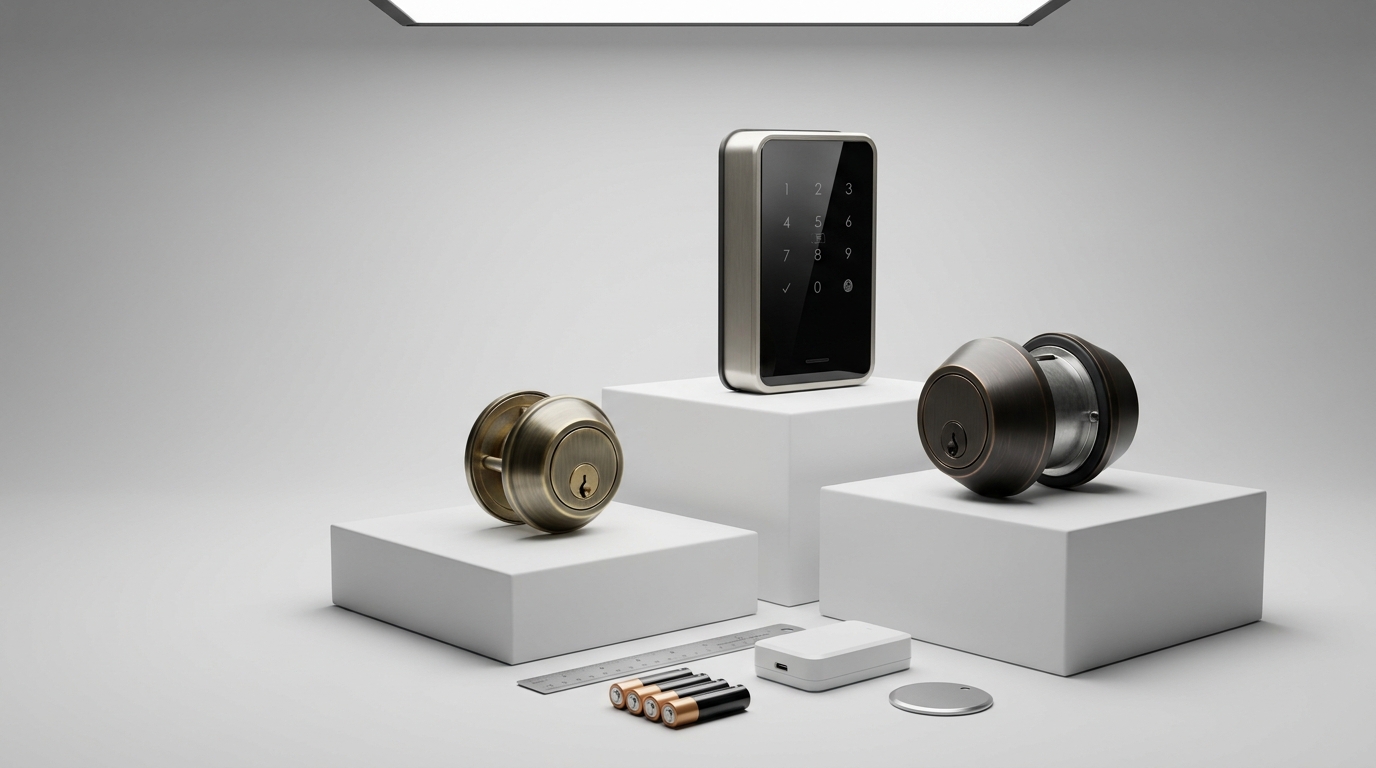
How ANSI/BHMA grades map to use-cases: ANSI/BHMA Grade 1 is heavy commercial duty; Grade 2 is strong residential/light commercial and is the practical standard for most single-family and multi-tenant installs. See Grade explanation reference (ANSI/BHMA Grade 2 standard noted across Yale models) — community.smartthings.com (2023-approx).
Quick comparison table — certifications and connectivity
| Model | ANSI/BHMA | UL / Ingress | Protocols | Keypad / Keyed | MSRP / street |
|---|---|---|---|---|---|
| Yale Assure (classic) | Grade 2 | — | Bluetooth; optional Z‑Wave/Zigbee modules | Touch keypad; keyed override | varies / varies |
| Yale Assure Lock 2 (YRD420‑WF1) | Grade 2 | — | Built‑in Wi‑Fi, Bluetooth; HomeKit on select SKUs | Touchscreen keypad; keyed override | $259 MSRP / ~$234 street (Home Depot, 2023-approx) |
| Yale Pro 2 | ANSI/BHMA (Pro level) | 90‑minute UL fire rating; IPX5 water resistance | Bluetooth native; professional Z‑Wave/Zigbee options | Keyed and keypad variants | commercial/pro pricing (varies) (Z‑Wave Alliance, 2023-04-09) |
| Yale Assure Keyed (YRD226) | Grade 2 | — | Bluetooth; optional modules | Keypad + keyed C4 override | varies / varies |
Callout: Certifications affect insurance and multi‑tenant use. For rentals or commercial doors, prefer Pro‑grade models with UL and IP ratings — Yale Pro 2 documents ANSI/BHMA and IPX5/UL 90‑minute ratings (Z‑Wave Alliance, 2023-04-09).
Pitfall: Don’t equate “smart” features with better physical security—wireless features (Wi‑Fi, Bluetooth) add convenience but not mechanical resistance.
Ensure fit and function: deadbolt, backset and door compatibility checklist before buying
Measure before you buy. Yale deadbolt fittings are adjustable, but there are limits.
- Backset: confirm adjustable 60–70 mm (measure from edge of door to center of bore) — Yale spec sheet (2023‑approx).
- Door thickness: typical compatibility 35–57 mm — measure with calipers or tape.
- Bore size: standard 54 mm (adjust/retrofit as required).
Pre‑buy tape‑measure checklist
- Backset: ______ mm (must be 60–70 mm for Assure series)
- Door thickness: ______ mm (must be 35–57 mm)
- Bore diameter: ______ mm (standard 54 mm for retrofit)
- Latch type: round/rectangle — note if faceplate needs changing
Retrofit vs new build caveats: retrofit installations may need adapter plates, longer screws, or latch rotation; if the bolt is misaligned or the latch rotates you may need a locksmith. Do not assume every Yale model is a drop‑in for older deadbolts — buyers frequently ignore backset and bore diameter and return the lock.
Lower lifetime cost: how to calculate total cost of ownership (batteries, hubs, subscriptions, replacements)
A template TCO brings the hidden costs into plain numbers so you can compare models apples‑to‑apples.
TCO template (fields to fill)
- Purchase price (MSRP or street price)
- Hub/bridge cost (one‑time)
- Batteries — type: 4x AA alkaline (replace frequency unknown; see note)
- Estimated battery replacement cost per year
- Optional module cost (Z‑Wave/Zigbee) and installation
- Professional install (if needed)
- Expected replacement/repair rate (use warranty or “unknown” if data missing)
Worked example — two scenarios (assumptions labeled):
- Renter (DIY): Buy Assure Lock 2 Wi‑Fi (street ~$234). No hub required. Batteries: 4x AA. Assume you replace batteries as needed — Yale lists 4x AA alkaline but No reliable data found on months of life (Yale, 2023-approx; Home Depot listing, 2023-approx).
- Integrator (multi‑unit): Use Yale Pro 2 series (commercial pricing varies). Budget for hub/module for fleet management and professional install; Pro 2 lists ANSI/BHMA and IPX5/UL fire rating which matter for landlord liability (Z‑Wave Alliance, 2023-04-09).
Downloadable spreadsheet outline: create columns for Line Item, Quantity, Unit cost, Frequency, Annual cost, Notes. Copy the template to test scenarios before purchase.
Pitfall: Don’t ignore hub costs — “Wi‑Fi built‑in” vs “hub required” changes upfront and ongoing expenses.
Best picks by budget and use‑case: renters, single‑family, landlords, integrators, and high‑security homes
This shortlist selects one recommended model per use-case plus two alternates; each entry shows installation risk score (1–5).
- Renters — Recommended: Yale Assure Lock 2 (Wi‑Fi touchscreen, YRD420‑WF1). Reason: built‑in Wi‑Fi removes hub costs; cost: $259 MSRP / ~$234 street (Home Depot, 2023-approx). Installation risk score: 1 (DIY easy). Alternates: Assure keyed (YRD226), basic Assure (non‑WiFi).
- Single‑family mainstream — Recommended: Yale Assure (keypad + optional modules). Reason: Grade 2 security with keypad and keyed override; flexible protocol choices. Installation risk score: 2 (simple retrofit). Alternates: Assure Lock 2 Wi‑Fi, Assure keyed model.
- Landlords / multi‑tenant — Recommended: Yale Pro 2. Reason: ANSI/BHMA, 90‑minute UL fire rating and IPX5 water resistance for multi‑tenant durability (Z‑Wave Alliance, 2023-04-09). Installation risk score: 4 (pro recommended for fleet installs). Alternates: Commercial Grade Yale nexTouch, managed Assure with Z‑Wave hub.
- Integrators / smart‑home pros — Recommended: Yale Assure Lock 2 Wi‑Fi (YRD420‑WF1). Reason: built‑in Wi‑Fi plus optional module support fits complex systems. Installation risk score: 2. Alternates: Assure with Z‑Wave module, Pro 2 for commercial clients.
- High‑security homes — Recommended: Choose Pro‑grade or Grade 1 commercial models where available (nexTouch/Pro series) and verify UL/fire and BHMA reports. Installation risk score: 5 (professional locksmith recommended).
Quick buy decision
- Buy: Assure Lock 2 Wi‑Fi if you want built‑in remote access with minimal hub cost.
- Buy: Pro 2 if you need commercial-grade fire/IP ratings and pro management.
- Skip: Models without required backset/thickness compatibility for your door.
Internal resources: see our smart lock category overview and the quick-fixes troubleshooting guide if you run into install issues; for firmware steps consult firmware and resets and for battery guidance see battery diagnostics. If you need a pro, check installation services.
Integrations and hubs explained: choose the right Yale communications stack for Alexa, Google, or HomeKit
Yale offers multiple protocol paths — pick the one aligning with your hub strategy.
- Protocols: Bluetooth native on Pro 2; Assure supports Bluetooth and optional Z‑Wave/Zigbee modules; Assure Lock 2 offers built‑in Wi‑Fi for direct cloud access. See source on Pro 2 and modules (Z‑Wave Alliance, 2023-04-09).
- HomeKit: available on select SKUs — confirm the exact model before buying.
- Hub vs built‑in Wi‑Fi: built‑in Wi‑Fi reduces device count and latency but may increase power use and attack surface; hubs can centralize updates and local automations but add upfront cost.
When to choose built‑in Wi‑Fi: you want immediate remote access without a hub and prefer cloud voice integrations. When to choose a hub: you prioritize local automations, mesh reliability, and lower per‑device power draw.
Pitfall: Don’t conflate “HomeKit compatible” with full cloud feature parity—some HomeKit flows limit remote guest setup without a bridge.
Real‑world failure modes and fixes every buyer should plan for
Plan for common failures and their mitigations. Below are the most frequently reported categories and direct actions to take.
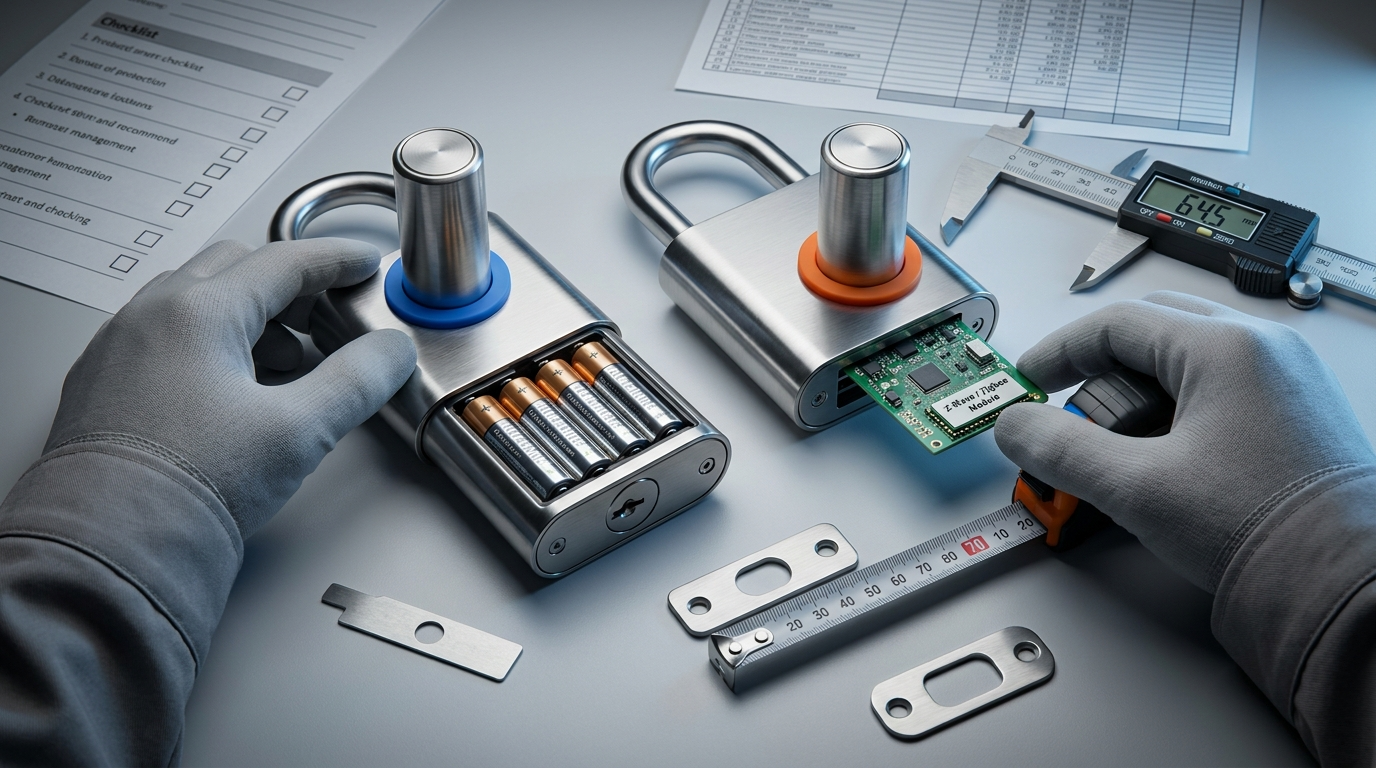
Common failure modes
- Battery depletion — Yale uses 4x AA alkaline cells; keep spares and test battery voltage if odd behavior occurs (Yale, 2023-approx).
- Wireless dropouts — Bluetooth or Wi‑Fi disconnects; verify hub signal, router settings, and firmware.
- Deadbolt alignment — latch binding or rotated latch after retrofit.
- Keypad/touchscreen failures — often solved by power cycle or fresh batteries; verify physical damage.
- Firmware update hiccups — can require re-pairing or support intervention.
Diagnostics & mitigation quick steps
- Battery check: remove cover, test cells, replace with fresh high‑quality AA. If behavior stops, mark the installation date.
- Connectivity: move a phone/hub near lock to verify BLE or Wi‑Fi RSSI; reboot router or hub and re‑pair if needed.
- Alignment: loosen mounting screws, extend bolt, manually cycle to spot friction points, add thin shims behind strike plate.
- Firmware issues: document firmware version, attempt official update, and if failed collect logs or screenshots before contacting support.
Data gap: Yale documents battery type (4x AA) but No reliable data found on expected battery life in months or multi‑year failure rates — treat those metrics as unknown and plan conservative replacement intervals (Yale, 2023-approx).
Apples‑to‑apples: Yale vs August, Schlage, Kwikset, Lockly on security, interoperability, and durability
Compare objective metrics: certification, UL/fire rating, protocols, keypad/key options, and MSRP where available.
| Model / Brand | ANSI/BHMA | UL / Ingress | Protocols | Keypad / Keyed | MSRP / street |
|---|---|---|---|---|---|
| Yale Pro 2 / Assure series | Grade 2 (Pro models ANSI/BHMA; Pro 2 has pro-level certs) | Pro 2: 90‑minute UL; IPX5 (2023-04-09) | Bluetooth, Wi‑Fi (Assure Lock 2), Z‑Wave/Zigbee modules | Touch keypad / keyed override | $259 MSRP / ~$234 street for YRD420‑WF1 (2023-approx) |
| Schlage Encode / Connect | Many models Grade 2 (some Grade 1 commercial) | Varies by model | Wi‑Fi (Encode), Z‑Wave (Connect) | Keyed / keypad | varies |
| Kwikset Halo / Smart | Many models Grade 2 (some Grade 3 lower-end) | Varies | Wi‑Fi, Z‑Wave on some SKUs | Keyed / keypad | varies |
| August / Lockly | Varies (consumer-focused) | Varies | Bluetooth, Wi‑Fi bridges | Keypad / keyless | varies |
Where Yale stands out: Pro 2 documents ANSI/BHMA pro certification and UL/IPX ratings useful for multi‑tenant and coastal installs (Z‑Wave Alliance, 2023-04-09). However, independent picking/drilling resistance tests and long‑term failure rates are not publicly available for Yale or many competitors — No reliable data found on those metrics.
Buying rule: If built‑in Wi‑Fi and no hub is your priority, pick models explicitly listing Wi‑Fi (e.g., Assure Lock 2). If mechanical resistance and UL/fire ratings are a must, choose Pro or commercial Grade 1 products and confirm test reports.
Conclusion
Use mechanical certification (ANSI/BHMA, UL/fire ratings) as the primary filter, then match protocols, backset and door fit, and total cost of ownership when selecting a Yale model. For many buyers the Yale Assure Lock 2 (YRD420‑WF1) gives the simplest tradeoff between remote features and installation cost; for commercial or landlord installs, Yale Pro 2’s ANSI/BHMA and UL/IP ratings make it the defensible choice. Review door measurements and budget for 4x AA batteries and any hub/module before buying — then compare and buy with confidence.
Next step: compare specific SKUs and prices, or read our installation checklist and troubleshooting guides to prepare for install and long‑term ownership.
FAQ
Which Yale smart lock should I pick if I want HomeKit and built‑in Wi‑Fi?
Choose a Yale Assure Lock 2 Wi‑Fi/Touchscreen model (example YRD420‑WF1) for built‑in Wi‑Fi and HomeKit‑friendly options; confirm exact HomeKit support in the product spec before buying — see Home Depot listing for model details (2023-approx).
How important is ANSI/BHMA Grade 2 for a residential smart lock?
Grade 2 is the standard for strong residential/light commercial protection and is widely used across Yale models; look for Grade 2 certification when prioritizing physical security (2023-approx).
Do Yale smart locks require a subscription or hub to work?
No subscription is required for core lock functions; some features (remote access or Z‑Wave/Zigbee integrations) may need a Yale hub or optional modules—confirm per model (2023-approx).
How many PIN codes can I store on Yale keypads?
Many Assure keypad models support up to 25 PIN codes—verify model spec for exact limit (2023-approx).
What batteries do Yale smart locks use and how often will I need to replace them?
Yale smart locks commonly use 4x AA alkaline batteries; Yale does not publish a reliable months‑of‑life number so plan for periodic replacements and keep spares (2023-approx / No reliable data found on months).
What should I measure on my door before ordering a Yale smart lock?
Measure backset (60–70 mm typical), door thickness (35–57 mm typical), and bore size to ensure compatibility and avoid return or locksmith fees (2023-approx).
Appendix — Research Gaps & Next Steps: Missing hard numbers to collect before publication: verified battery life (months) under defined usage patterns; independent picking/drilling resistance scores and CVE/patch timelines; long‑term failure/warranty claim rates. If data remains unavailable: mark as No reliable data found and request Yale support, BHMA reports, or locksmith survey data.