

home lighting automation planning starts with confirming your wiring and network so the devices you buy actually work — not after you’ve returned three incompatible switches.
This guide is a room-by-room engineering checklist and phased rollout plan for homeowners and small integrators. It forces wiring, circuit, and network decisions up front, gives exact verification steps (what to measure, how to test, who to call), and includes printable checklists and post-install tests missing from competitors.
Key Takeaways
- Verify electrical and network prerequisites first (neutral presence, circuit headroom, hub placement) using the inspection checklist before buying devices — then choose bulbs vs switches accordingly.
- Phase by high-impact rooms (entry, kitchen, primary bedroom), place hubs/APs for mesh and backbone coverage, and start with pilot circuits to catch dimmer/LED and protocol compatibility issues.
- Run the post-install verification suite (functional tests, hub stress tests, firmware rollback/local-control checks) and keep a migration plan to avoid vendor lock‑in.
- Confirm electrical readiness so devices you buy will actually work
- Map your network backbone and hub placement to eliminate dead zones and unreliable scenes
- Phase the rollout room-by-room to cut downtime and rework (start with entry, kitchen, primary bedroom)
- Prerequisites checklist (printable) — wiring, permits, network, and procurement must‑haves
- Verification steps and tests after each phase to prove safety and reliability
- Common failure modes, quick diagnostics and fallbacks to keep lights usable
- Budget and technical specs worksheet every project needs (costs, device limits, and ROI inputs)
- Conclusion
- FAQ
Confirm electrical readiness so devices you buy will actually work
Before purchasing any home automation devices, confirm the physical wiring and circuit capacity for each switch and fixture. Missing neutrals, unknown 3‑way wiring, or overtaxed circuits are the most common causes of returns and rework. See Stale Electric for professional wiring upgrade guidance (Stale Electric, 2026-04-12): staleyelectric.com/how-to-upgrade-your-home-for-smart-lighting-control/ (2026-04-12).
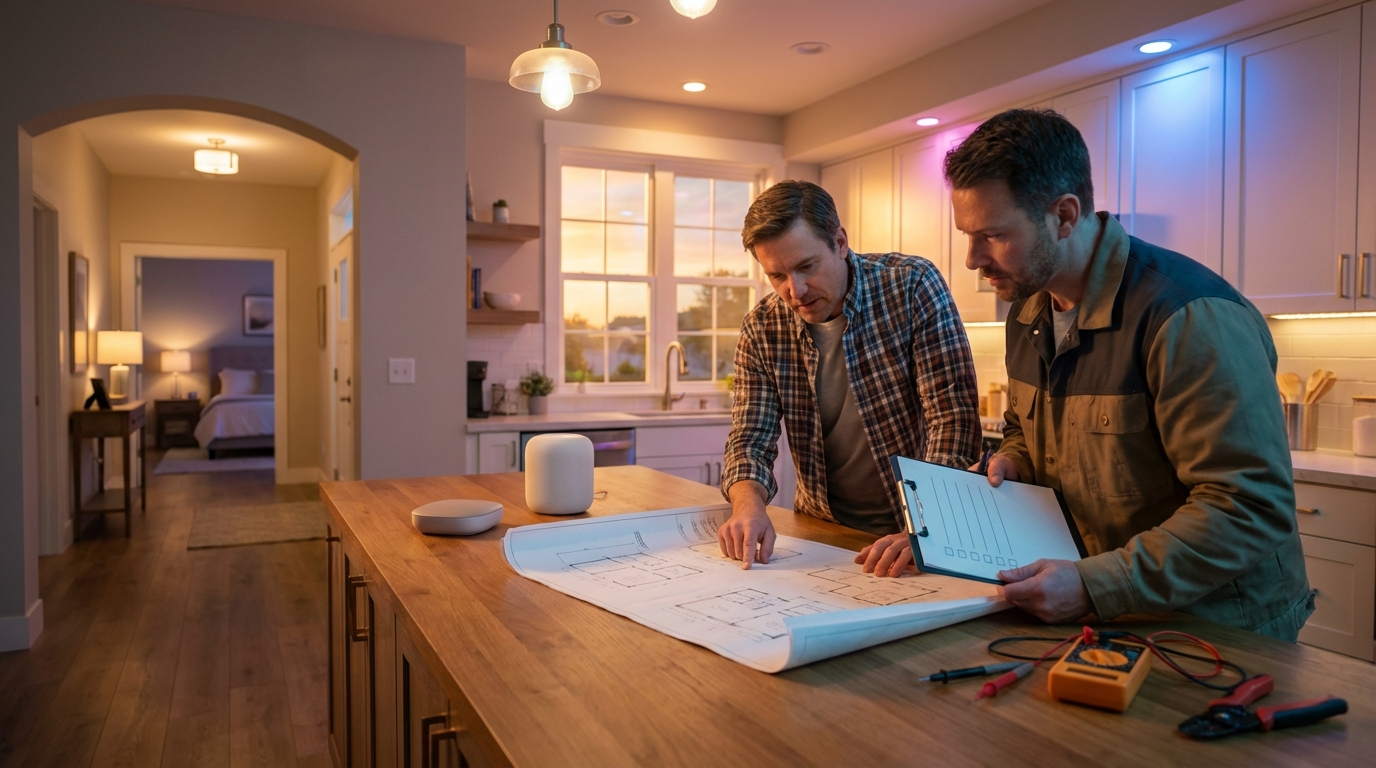
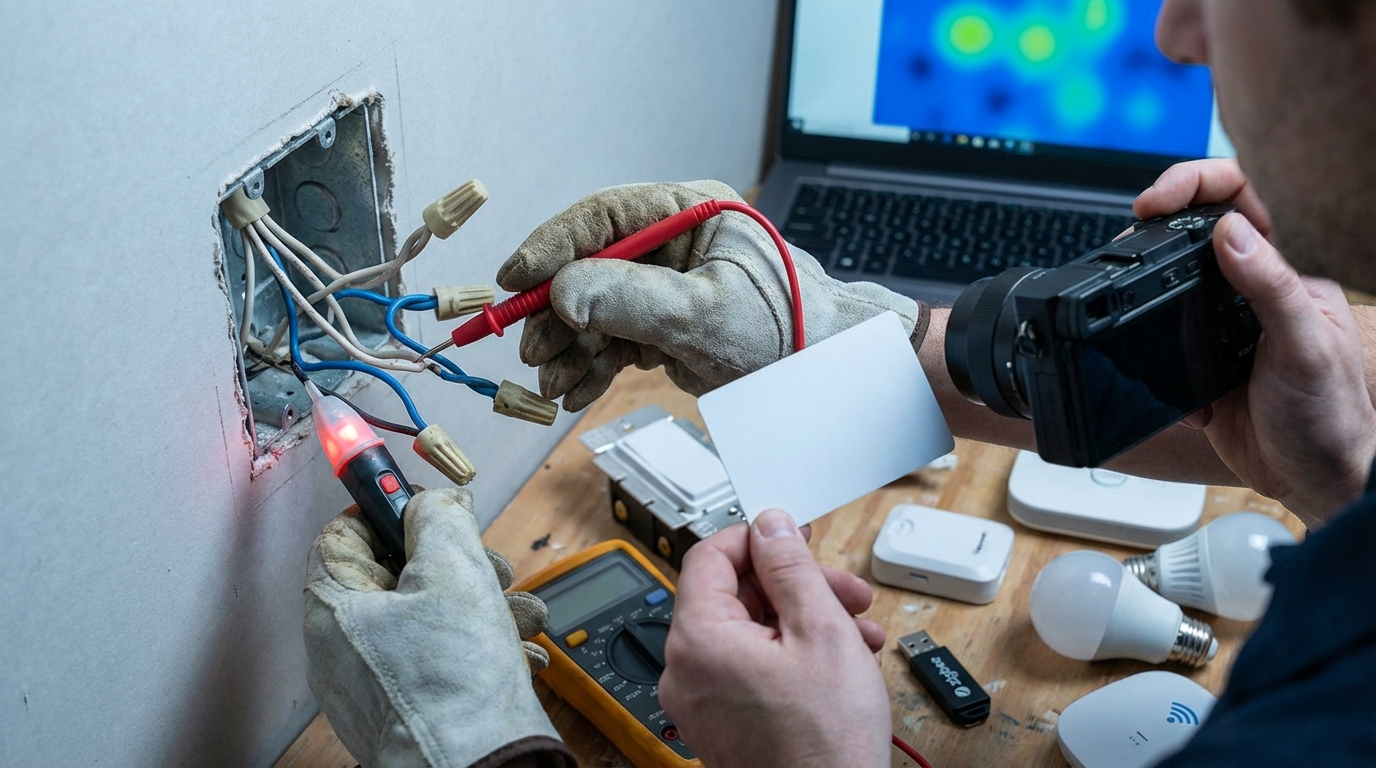
Neutral‑wire sweep: step‑by‑step probe checklist
- Power off the circuit at the breaker and verify with a non-contact tester.
- Remove the switch cover and unscrew the switch to expose wires.
- Look for a bundle of white wires capped together — that’s the neutral bundle. Photograph it for records.
- If no neutral bundle is visible, label the box “No Neutral” and log the location (photo + room + breaker).
- If unsure, hire an electrician and hand them the photos. Cite code and neutral verification from Stale Electric when asking for sign-off (Stale Electric, 2026-04-12).
Inventory fixtures and switch types
- Create a spreadsheet column for: Room, Fixture type (recessed/canned/pendant), Bulb base (A19/GU10), Bulb type (LED/halogen/fluorescent), Switch type (single-pole / 3-way / multi-location), Existing dimmer model.
- Photograph the fixture and switch for each row. Note which bulbs are tunable/white-only and if LEDs are retrofit inserts.
Check panel capacity and circuit load
- Have an electrician check panel headroom and run a load calculation before adding smart dimmers or load‑bearing control units.
- Record breaker numbers and label which switches belong to each breaker for later isolation tests.
Pitfall to avoid: buying smart switches that require a neutral when your switch boxes lack one — this leads to returns, modification labor, or expensive re-wiring.
Map your network backbone and hub placement to eliminate dead zones and unreliable scenes
Choose protocol and hub placement based on home construction and device count. Digital Living covers whole‑home lighting control placement recommendations (Digital Living, 2026-04-12): digitalliving.com/the-ultimate-guide-to-whole-home-lighting-control-systems-illuminate-your-space-with-style-and-efficiency/ (2026-04-12).
Protocol selection: Zigbee / Z‑Wave / Matter / Wi‑Fi
- Zigbee/Z‑Wave: best for mesh reliability and low power; choose when many battery or mains-powered endpoints need local mesh routing.
- Matter: emerging standard for multi-vendor local control; pair with a Thread border router where supported.
- Wi‑Fi bulbs: simple to deploy but each bulb counts as a Wi‑Fi client and can overload consumer routers; use in small deployments or isolated rooms.
- Decision tip: prefer a local hub (Zigbee/Z‑Wave/Matter-capable) if you plan >20 endpoints or want vendor migration paths.
Hub and AP placement rules of thumb
- Place the primary hub centrally on the main floor, off the floor, and away from metal enclosures. Avoid hidden utility closets behind HVAC if masonry walls exist.
- Test RF attenuation: walk the house with a temporary hub and note devices that fail to join or report low signal. Create a heatmap grid (5–10 ft cells) and mark spots with poor signal.
- For Wi‑Fi mesh, place APs to ensure full overlap with at least one strong RSSI at all light locations.
Decision matrix: hub + repeaters vs Wi‑Fi bulbs
- Hub + repeaters: better scalability, local control, simpler migration away from vendor cloud.
- Wi‑Fi bulbs: fastest pilot, least wiring, but risk of overloading home router and vendor lock-in.
Pitfall to avoid: placing hubs in a utility closet without testing RF attenuation — a common cause of devices dropping off the network.
Phase the rollout room‑by‑room to cut downtime and rework (start with entry, kitchen, primary bedroom)
Use a staged pilot → phase rollout → full deployment process to catch dimmer/LED and protocol issues before they multiply.
Recommended phase order and rationale
- Pilot circuit (1 room): pick a small, high-impact room like the entry. Use smart bulbs first to test scenes, protocols, and hub behavior.
- High-use entry points: hallways, foyer — these test scene triggers and motion sensors.
- Kitchen: complex lighting, multiple zones and dimmers; test LED compatibility and multi-load dimmers here.
- Primary bedroom: test 3‑way or multi‑location dimming and voice scenes.
- Exterior: add after internal stability; includes weatherproof devices and schedule rules.
Bulbs vs switches: decision flow
- Start with bulbs for low disruption. If you need multi‑lamp scenes or the fixture uses non-standard bases, move to smart switches/dimmers.
- If switch boxes lack neutrals, prefer smart bulbs or no-neutral switches designed for load types. Document box status on the checklist in H2 #4.
After the pilot passes, schedule the electrician and network installer for phase wiring and hub/AP placement. Commission voice and scene integrations only after hardware is stable.
Pitfall to avoid: replacing every bulb at once and then discovering incompatible dimmer behavior — this doubles labor and return handling.
Prerequisites checklist (printable) — wiring, permits, network, and procurement must‑haves
This printable checklist is what to verify and hand to an electrician or inspector. The Stale Electric guide recommends hiring a pro for wiring checks (Stale Electric, 2026-04-12): staleyelectric.com/how-to-upgrade-your-home-for-smart-lighting-control/ (2026-04-12).
One‑page printable checklist
[ ] Neutral present at switch box (Y/N)  — photo attached
[ ] Switch type (single-pole / 3-way / multi) — note breaker #
[ ] Circuit headroom OK per electrician — signed
[ ] Fixture and bulb inventory attached (room, type, base)
[ ] Permit needed (Y/N) — AHJ contacted: response documented
[ ] Hub planned location (room, outlet, UPS)
[ ] AP count estimate and planned PoE switches
[ ] Pilot devices ordered: hub x1, switches x3, bulbs x6, repeater x1, AP x1
[ ] Manual override wiring labeled and tested
[ ] Firmware baseline recorded (device: version)
Sample permit questions for your AHJ
- Does replacing switches or adding control panels require a permit in my jurisdiction?
- Are low-voltage control modules exempt or subject to inspection?
- What documentation does the inspector require (photos, electrician sign-off)?
Minimum procurement list for a pilot
- Hub/gateway (Zigbee/Z‑Wave/Matter-capable)
- 3 smart switches or dimmers (match load type)
- 6 bulbs for fixture pilots
- 1 repeater (mains-powered) for mesh backbone
- 1 network AP or PoE switch if home lacks proper coverage
Pitfall to avoid: skipping permits for electrical changes and then failing final inspection — possible orders to remove work or re-do wiring.
Verification steps and tests after each phase to prove safety and reliability
Record pass/fail on each test and keep photos and firmware versions. Recommended metrics to collect: flicker observations, latency in ms, and device rejoin times. If you need guidance, Digital Living outlines deployment phases that support staged commissioning (Digital Living, 2026-04-12): digitalliving.com/the-ultimate-guide-to-whole-home-lighting-control-systems-illuminate-your-space-with-style-and-efficiency/ (2026-04-12).
Functional tests (exact steps)
- Switch toggle: physical switch ON/OFF — confirm immediate local response (≤200 ms ideally).
- Dimming sweep: 0 → 100% in 10% increments — record any flicker or dead zones.
- 3‑way behavior: toggle at each location with other switches set; confirm consistent state and scene triggers.
RF and hub stress tests
- Simulate expected device count: pair devices incrementally until reaching estimated deployment count. Observe latency.
- Stress target: 75–100% of expected devices active simultaneously for 5–15 minutes. Log scene execution time.
- Record device rejoin time after power‑cycling hub (seconds to rejoin).
Compatibility checks
- LED + dimmer flicker test: run dimming sweep and note any flicker frequencies or ranges where LED fails.
- Ghost‑on test: fully OFF state for 24 hours; monitor for unintended illumination due to neutral/ground leakage.
Simple latency test script (code‑like)
1) Ping hub from local controller:
   ping 192.168.1.50 -c 20
   Record min/avg/max ms

2) While pinging, toggle a scene with 10 devices and note wall-clock delta:
   Start ping -> press scene -> measure time between command and last device on

3) Power-cycle hub:
   poweroff; wait 30s; poweron -> record rejoin times (seconds) from logs
Document results in a test log: device ID, firmware, test date, pass/fail, photos. Keep logs for troubleshooting and warranty claims. Pitfall to avoid: not recording firmware versions and test results — makes post-update debugging impossible.
Common failure modes, quick diagnostics and fallbacks to keep lights usable
Map symptoms to likely causes and use a stepwise troubleshooting playbook. Collect community and vendor docs for deeper root-cause analysis (next research: Zigbee Alliance and Home Assistant forums).
Symptom → probable cause → quick fix
- Flicker: LED incompatible with dimmer / neutral leakage → swap bulb with known-compatible model or install snubber per vendor instructions.
- Ghost-on (dim glow when OFF): small leak currents or neutral miswire → confirm neutral bundling and add bypass device or change switch type.
- Latency/scene slowness: overloaded hub or poor mesh placement → add repeaters or move hub/upgrade APs.
- Device drop-offs: RF interference or hub software fault → isolate by moving hub temporarily and test rejoin times.
Troubleshooting playbook (isolate, swap, update, reset, escalate)
- Isolate: remove suspect devices from scene and test one-by-one.
- Swap: replace with a verified good device to check if problem follows hardware.
- Update: check firmware and apply vendor-recommended fixes; record current version first.
- Factory reset if stuck; re-pair and re-test the pilot before re-adding to scene.
- Escalate: if hardware and wiring verified, call electrician; for network issues, call network engineer; for vendor firmware bugs, open a support ticket with logs.
Local manual‑control fallbacks
- Label and wire manual switches so they always break/load power independently of the hub where possible.
- Keep physical overrides and clear labels (breaker numbers, switch IDs) so non-technical users can turn lights on/off.
Pitfall to avoid: relying solely on cloud automations without a tested local-control fallback — this can leave a home dark during outages.
Budget and technical specs worksheet every project needs (costs, device limits, and ROI inputs)
Collect price and technical specs before buying. Vendor MSRPs vary; collect three local electrician quotes as part of procurement. Proposed next research: compile MSRP and pro quotes from Philips Hue, Lutron, and local electricians for accurate per-room estimates.
Line‑item cost factors to collect
- Per-bulb cost (MSRP and quantity), per-switch/dimmer cost, per-hub/gateway cost.
- Pro labor: hourly rates, expected trip count, cost to pull new neutrals or replace backboxes.
- Network upgrades: APs, PoE switches, UPS for hubs.
Technical design numbers to gather from vendors
- Device limits per hub (vendor spec sheet).
- Range and latency benchmarks per protocol.
- Recommended AP/PoE counts for X devices (based on home square footage).
ROI model inputs
- Estimated energy savings per fixture (use vendor lumens/W and schedules).
- Replacement cycles for LEDs and controllers.
- Payback timeline scenarios (conservative, expected, optimistic).
Pitfall to avoid: using vendor MSRP alone and underestimating professional labor and repeat visits for troubleshooting.
Conclusion
Follow this room-by-room plan to evaluate readiness, create a phased rollout, and buy/install with confidence. Verify wiring (neutral, circuit headroom), map your network backbone, run a pilot, and use the verification tests and checklists. When in doubt, hand the electrician the documented photos and checklist pages to avoid surprises. For full-home success, repeat the pilot process until you confirm stable behavior — then scale. Start your home lighting automation rollout with the printable checklist, compare hubs and pros, and subscribe to update logs before you buy.
FAQ
How do I tell if my wall switch has a neutral wire?
Open the switch box (power off) and look for a bundled set of white neutral conductors or hire an electrician to confirm using a non-contact tester and photo documentation.
Should I start with smart bulbs or smart switches?
Start with smart bulbs for low-disruption pilots; move to smart switches when you need multi‑bulb scene control, 3‑way switching, or reduced per‑device cost at scale.
What tests should I run after installing a smart dimmer?
Run functional toggles, full-range dimming sweep, LED flicker check, power-cycle rejoin test, and record firmware versions and pass/fail results.
How many devices can one hub realistically support?
It varies by vendor/protocol; there is no reliable universal number — measure in-lab for your chosen hub and capture device rejoin and latency under load.
What is the minimum network setup for reliable lighting automation?
A robust backbone (wired router/PoE switches for hubs/APs), at least one wired hub location centrally placed, and enough APs to eliminate RF dead zones — validate with a heatmap test.
Do I need permits to change switches or install a control panel?
Possibly — many jurisdictions require permits for wiring changes; consult your local building authority and document work for inspections.
How do I ensure my lighting still works during internet outages?
Verify local-control operation in the hub and device settings, implement manual overrides on physical switches, and add UPS backup to critical hubs/APs.
For protocol selection and deeper protocol comparison, see Home Automation Hub: 7 Best Guide to Improve Security. For wiring safety and no‑neutral options, read Best Smart Light Switch: 7 Proven Checklist To Avoid Mistakes and Smart Thermostat Without C Wire: 7 Easy Guide to Save Money. If you plan a Home Assistant pilot, use Home Assistant Raspberry Pi: 7 Easy Guide To Avoid Mistakes and the Home Automation Hub: Top 7 Proven Best Picks (By Budget) planning checklist for hubs and local-control strategies.